20 Free AI Voiceover Script Templates for TikTok, Reels & YouTube Shorts
Table of Contents
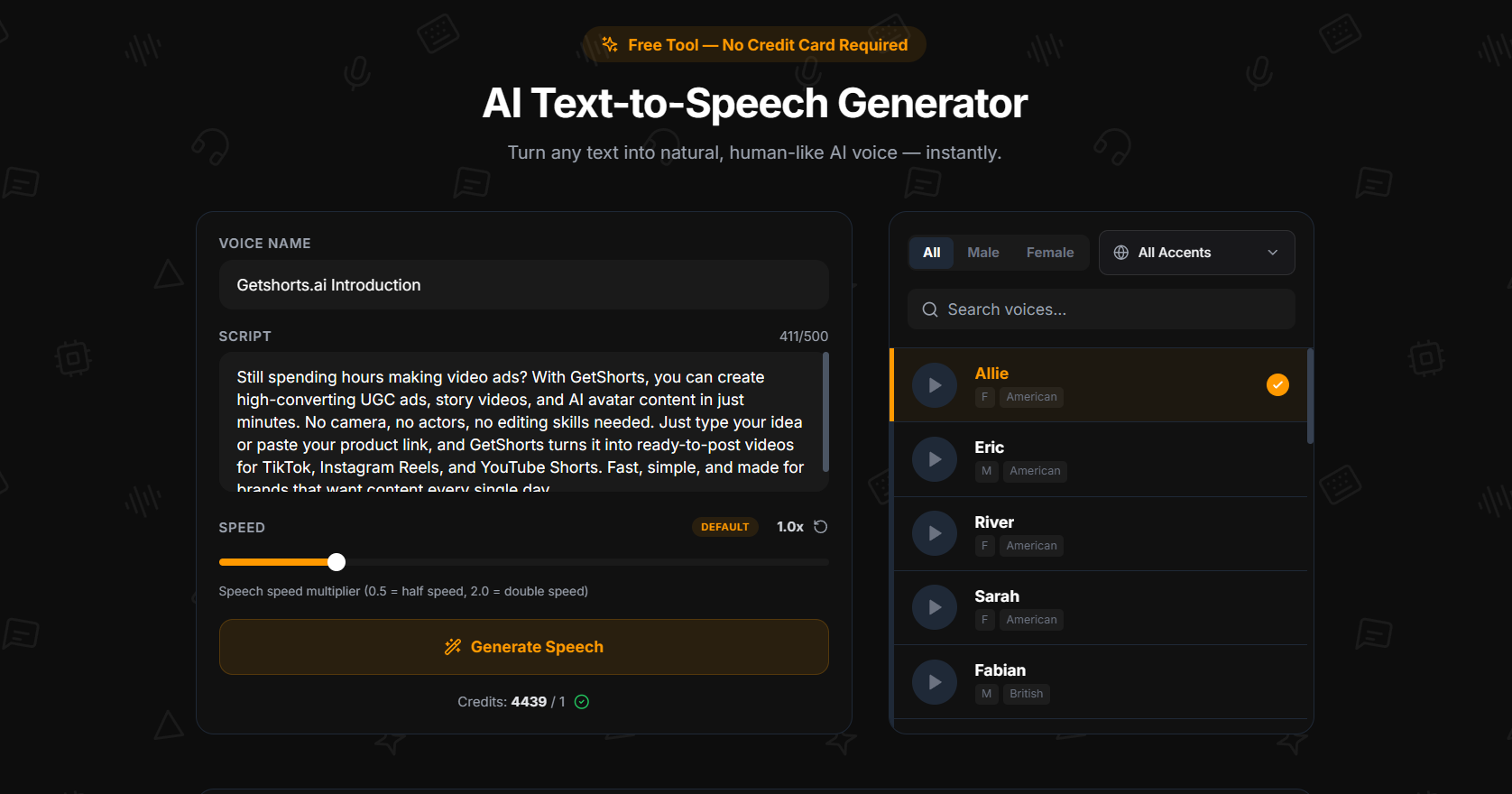
Every template below is under 500 characters — ready to paste directly into the GetShorts free text to speech tool and generate immediately. Each one is designed for a specific short-form content scenario: hooks, CTAs, product demos, educational intros, and storytelling openers. Copy the one that fits, generate your MP3, done.
For best results, match the voice to the script tone. American female voices (Sarah, Nova) work well for lifestyle and fast hooks. British male voices (George, Lewis) suit authority content. Adjust speed to 1.1–1.3× for energetic content, 0.9× for calm or educational delivery.
Hook Scripts — Attention Grabbers#
- The Question Hook
"What if you could make a full TikTok voiceover without recording a single word? No mic, no room noise, no retakes. Just type your script, pick a voice, and download the MP3 in seconds. I'll show you exactly how." - The Shocking Stat Hook
"Most creators spend 45 minutes recording a 30-second voiceover. Retakes. Noise. Bad takes. AI text to speech just made that entire process obsolete — and the free version is actually good now." - The Contrarian Hook
"Stop recording your own voice for videos. I said what I said. AI voices have crossed the threshold where listeners can't tell the difference — and the best one is completely free." - The Curiosity Hook
"There's a free AI voice generator that sounds shockingly human — 20 voices, five accents, downloads as a clean MP3 with no watermark. Here's where to find it and how to use it today." - The Personal Story Hook
"I spent three hours recording a 60-second voiceover last month. Bad audio, wrong tone, constantly redoing it. Then I found free AI text to speech. My last voiceover took 90 seconds flat."
Product and Brand Scripts#
- Product Launch Announcement
"Introducing [Product Name]. Designed for people who want [core benefit] without [main friction]. Starting at [price]. No fluff, no filler — just results. Try it free at [URL]." - E-Commerce Product Demo
"This is [Product Name]. It solves [problem] in [timeframe]. Here's what makes it different: [unique feature]. [Price]. Ships in [days]. Free returns. Link in bio." - App or SaaS Feature
"[Feature] just launched. You can now [do X] without [old friction]. Takes [timeframe]. Works with [existing tool]. Already on your dashboard — click [location] to try it now." - Limited Time Offer
"For the next 48 hours, [Product] is [discount]. After that, price goes back to normal. No extensions, no exceptions. Grab it at [URL] before the clock runs out." - Testimonial-Style Script
"I used to [old problem]. Then I tried [Product]. In [timeframe], I went from [before state] to [after state]. If you're still dealing with [problem], this is what fixed it for me."
Ready to generate scroll-stopping video ads?
Access organic AI UGC avatars and text-to-speech in minutes.
Generate These Scripts Free — No Credit CardEducational and Explainer Scripts#
- Quick Tip Format
"Here's a productivity tip most people ignore: [tip]. It takes [time], saves [benefit], and works even if [common objection]. Try it once — you'll use it every day." - The Step-by-Step Mini Tutorial
"Three steps to [desired outcome]. Step one: [action]. Step two: [action]. Step three: [action]. That's it. No extra tools, no paid courses. Just those three steps." - Myth Busting
"Everyone says [common belief]. It's wrong. The truth is [reality]. Here's why that matters for you: [implication]. Stop doing [wrong thing]. Start doing [right thing]." - The 'Did You Know' Format
"Did you know [surprising fact]? Most people in [audience] don't. And it's costing them [consequence]. Here's what to do instead — and it takes less than [timeframe]." - The Before and After
"Before: [painful situation]. After: [desired outcome]. The difference? [single change or tool]. Takes [timeframe] to set up. Works for [audience type]. Here's exactly how."
Storytelling and Engagement Scripts#
- The Mini Story Open
"Six months ago, I had [problem]. I tried everything — [attempt 1], [attempt 2], even [attempt 3]. Nothing worked. Then someone showed me [solution]. Here's what happened next." - The Lesson Learned
"The most expensive lesson I learned about [topic]: [lesson]. It cost me [consequence]. You don't have to make the same mistake. Here's what I'd do instead." - The List Format
"Five things [target audience] always get wrong about [topic]. Number one: [mistake]. Number two: [mistake]. Number three: [mistake]. Number four: [mistake]. Number five: [mistake]. Save this." - The CTA Close
"If you made it this far, you're serious about [topic]. So here's your next step: [specific action]. Takes [timeframe]. Free to try. Link in bio — go now before you forget." - The Faceless Channel Intro
"Welcome to [Channel Name] — where we cover [topic] for [audience]. Every [frequency], we break down [content type] so you can [benefit]. Subscribe if you're building [goal]. Let's get into it."
Tips for Getting the Best Results#
A few things that consistently improve TTS output quality:
- Use punctuation deliberately. Commas create short pauses, periods create longer ones. Ellipses (...) add a dramatic beat. Use these to control pacing — don't let the engine guess.
- Write how you speak. Contractions (you'll, it's, we've) sound more natural in TTS than formal alternatives. Avoid jargon your voice can't inflect.
- Adjust speed first. If the delivery feels wrong, try 1.1× or 1.2× before changing the voice. Energy problems are often pacing problems.
- Preview before you commit. Use the play button on voice cards to hear a sample before generating. Saves your daily credit for the right voice.
- Match accent to audience. British voices tend to read as authoritative to US audiences. American voices read as approachable. Choose intentionally.
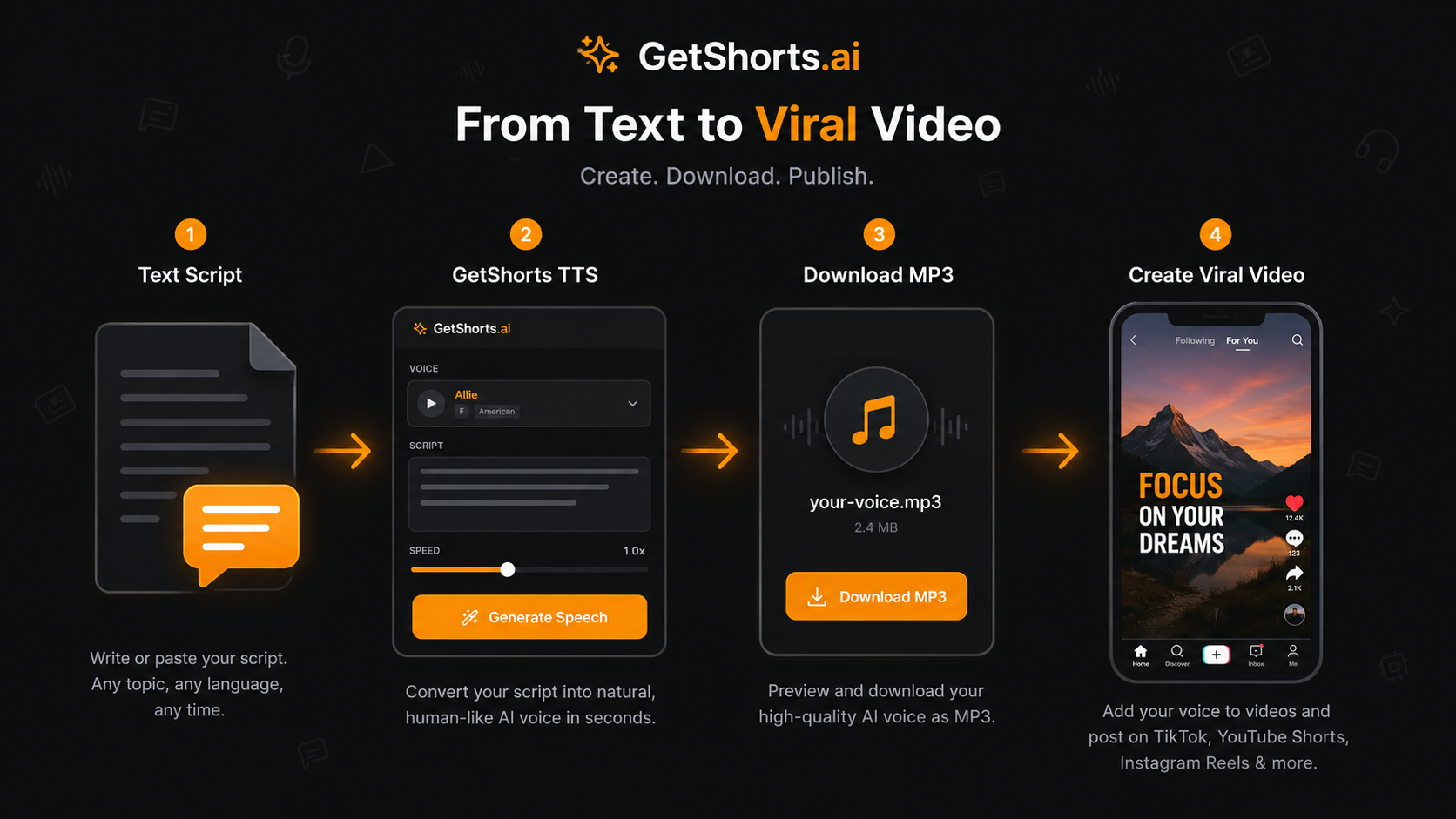
All 20 scripts above work within the 500-character limit of the GetShorts free text to speech tool. Generate one per day with the free plan, or upgrade to a paid plan to remove all limits and pair your voice clips with the full AI UGC video generator and story video maker.
Stop Booking Overpriced Creators. Start Scaling UGC Ads.
Produce high-quality AI avatars, auto-captions, B-roll composites and translate scripts instantly. Generate 10+ hook variants for testing.
No credit card required • Start free trial instantly