AI Voiceovers for Shorts & Reels: 5 Tips for Realistic Narration
Table of Contents
In vertical video, audio is just as critical as the visual edit. TikTok, Instagram Reels, and YouTube Shorts are built for listening, and viewers will scroll past your video in seconds if the audio feels grating or artificial. While synthetic voices have become standard for speed and convenience, many creators struggle with robotic, flat narration. A standard text-to-speech engine often sounds stiff, mispronounces key words, and lacks the natural cadence of a human speaker.
To build a loyal audience, you need to elevate your audio quality. Applying strategic ai voiceover tips for vertical video can turn robotic speech into engaging, lifelike narration. Whether you are creating faceless content or scaling UGC campaigns, realistic voices build instant credibility. Here are 5 practical tips to make your AI voiceovers sound completely human, keep your viewers hooked, and boost your completion rates.
1. Master the Pacing: Use Punctuation for Natural Breaks#
One of the biggest giveaways of a synthetic voice is the lack of breathing room. Humans pause to catch their breath, highlight key points, and let dramatic statements sink in. Robotic voice engines, by contrast, tend to run through text without stopping, causing the narration to feel rushed and monotonous. To fix this, you must treat your script like sheet music, using punctuation to dictate pacing.
Add commas to force short pauses, and use periods to create clean transitions between sentences. If a section of text feels too cramped, use ellipses (...) or em-dashes (—) to generate longer, dramatic pauses. When utilizing a free AI text to speech tool, spacing out your sentences into separate lines or paragraphs also forces the voice engine to reset, preventing words from blending together unnaturally.

2. Select the Right Accent and Pitch for Your Niche#
Not every voice fits every category of content. A energetic voice that works for viral TikTok hooks might feel completely out of place in a calm meditation video or a corporate software demonstration. Finding the best ai voices for shorts requires matching the tone, accent, and gender to your target audience's expectations.
Modern synthesis platforms offer regional accents, including American, British, Australian, Hindi, and Italian. If you are targeting a local regional market, selecting a localized accent immediately builds familiarity. Similarly, match the pitch and energy to the video's pace. Use deep, gravelly voices for mysterious story niches, and bright, enthusiastic voices for product roundups or sales promotions. Always test multiple voices with your target script to find the tone that feels most organic.
3. Leverage Advanced Voice Cloning for Brand Identity#
If you want your videos to stand out, relying on standard library voices isn't enough. Thousands of creators use the same public voice templates, making their channels sound generic. To build a unique brand identity, you should clone your own voice or hire a voice actor to clone theirs. This ensures your narration remains unique to your channel.
With our voice cloner tool, you can upload a short audio clip of your voice, and the AI will clone it with high fidelity. This digital twin can then narrate all your future scripts in seconds. This approach is excellent for saving hours of recording time while retaining a personal connection with your audience. Having a cloned voice keeps your audio consistent across multiple videos, which is crucial for building recognizable channels on social platforms.
Ready to generate scroll-stopping video ads?
Access organic AI UGC avatars and text-to-speech in minutes.
Clone Your Voice on GetShorts4. Write Your Scripts Specifically for Oral Delivery#
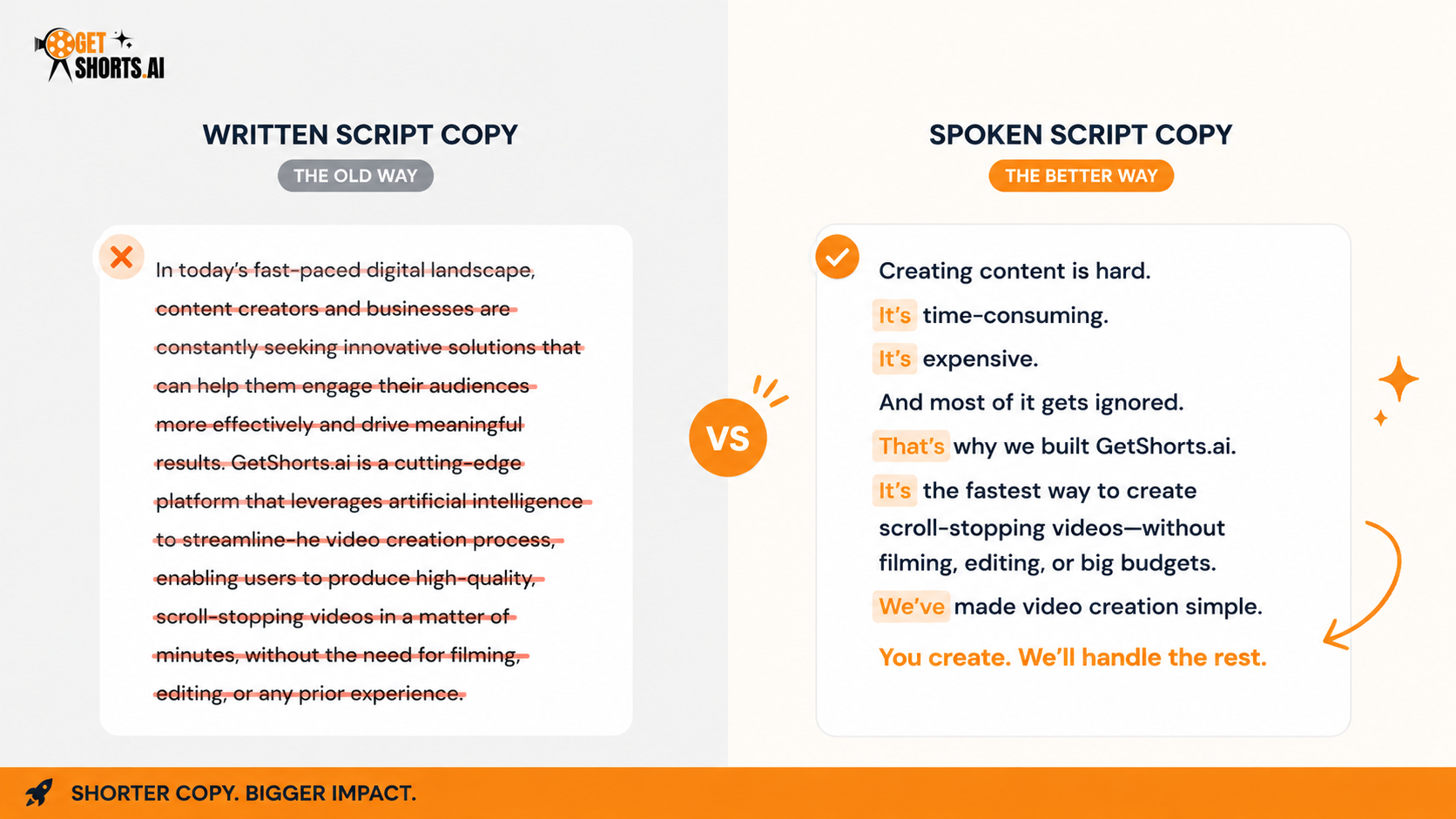
Scripts written for reading look very different from scripts written for speaking. Long, complex sentences with academic words sound stiff and unnatural when read aloud by a synthetic narrator. To get the best out of your text-to-speech engine, follow strict text to speech guidelines that focus on oral simplicity.
Use contractions (like 'you'll' instead of 'you will') to mimic natural conversation. Keep your sentences short and punchy. Avoid tongue twisters and complex phrases that are hard to enunciate. When writing numbers, spell them out if the engine struggles to pronounce them correctly (for example, write 'twenty-six' instead of '26'). Read your script aloud to yourself before pasting it into the AI editor; if your tongue trips over a phrase, rewrite it to be simpler.
5. Blend Voiceovers with Captions and Sound Effects#
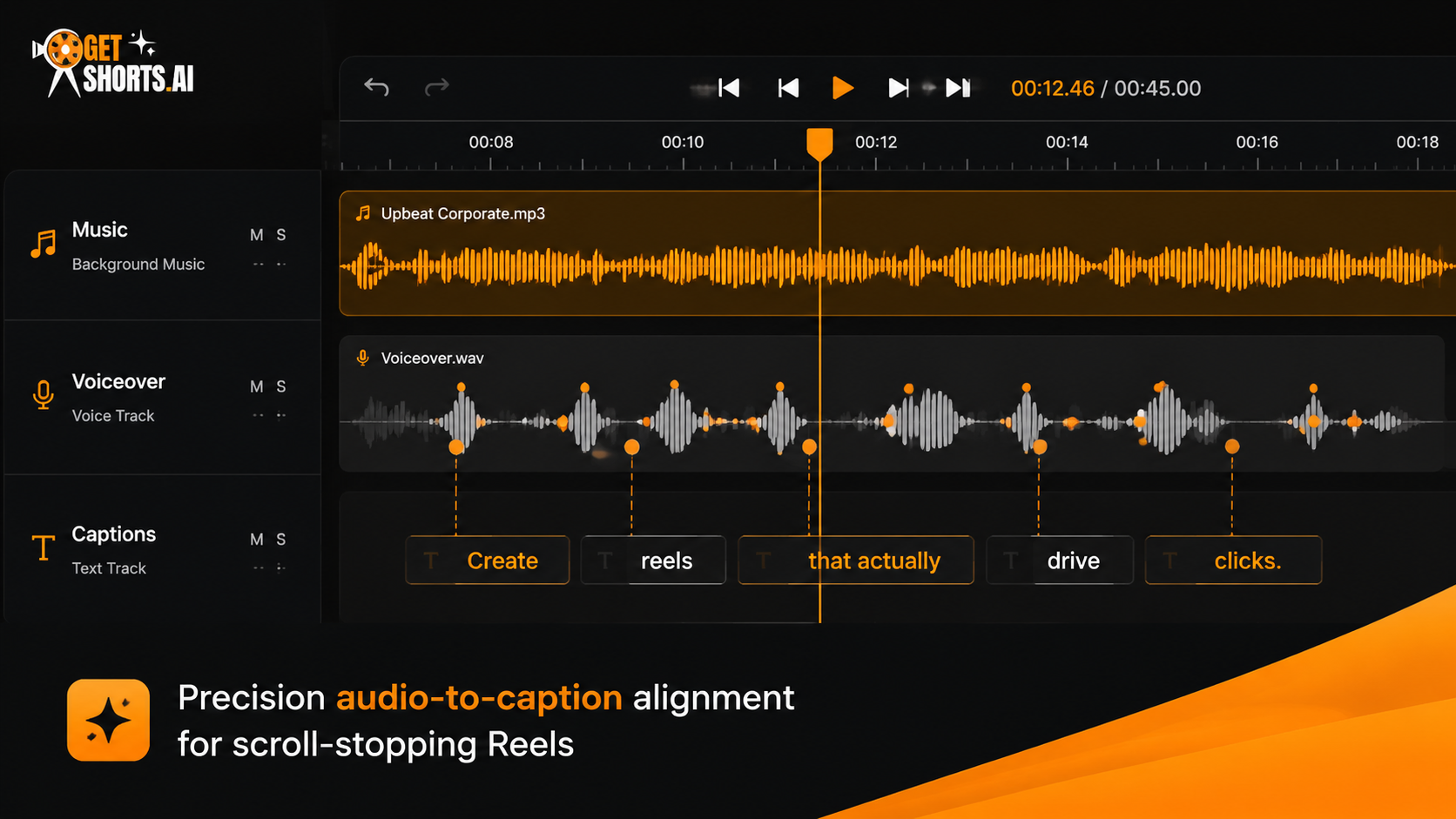
Even the most realistic AI voiceover needs support to keep viewers engaged. On social channels, a high percentage of users watch videos with their sound turned off. To ensure your message lands, always pair your narration with auto-generated captions. Captions reinforce the audio, helping viewers follow along even in loud environments.
Furthermore, add subtle background music and transition sound effects (like whooshes and pops) to mask minor artificial tones in the voice synthesis. Using an AI story video maker helps you automate this process by automatically syncing captions, background tracks, and voiceovers. This creates a cohesive, multi-sensory experience that keeps user retention rates high throughout the entire length of the clip.
Conclusion: Crafting Audiocentric Vertical Videos#
Audio is not an afterthought in short-form content. Applying these narration tips for tiktok and other vertical platforms helps you build engaging channels that stand out. If you have existing footage with muffled audio or unwanted background noise, using the best AI voice changers for Shorts allows you to swap and upgrade your vocal track in seconds. Focus on pacing, choose the right voice accent, use custom voice cloning, write for oral delivery, and layer your audio tracks to achieve professional results.
Ready to start generating ultra-realistic voiceovers? Explore our premium pricing plans to unlock high-character voice models and advanced cloning features on GetShorts today.
Stop Booking Overpriced Creators. Start Scaling UGC Ads.
Produce high-quality AI avatars, auto-captions, B-roll composites and translate scripts instantly. Generate 10+ hook variants for testing.
No credit card required • Start free trial instantly