Scroll-Stopping B-Roll: How to Use Cutaways to Double Ad Watch Time
Table of Contents
In vertical video advertising, human attention is an unforgiving currency. The average social media user on TikTok, Instagram Reels, or YouTube Shorts gives an ad less than 2.3 seconds before deciding whether to stay or swipe into oblivion. If your creative consists solely of a talking head speaking unbroken sentences directly into a webcam, viewer drop-off graphs plummet like a stone. Implementing actionable b roll video tips for ads is the single most effective lever performance marketers have to reset viewer focus and double ad watch time.
B-roll is not mere visual decoration; it is an active psychological interrupt. By cutting away from the main speaker (A-roll) to show product textures, unboxing moments, lifestyle demonstrations, or macro problem scenes, you prevent sensory fatigue. With modern platforms like GetShorts UGC video maker, you no longer need expensive multi-camera shoots or days scouring stock libraries—you can generate custom, high-fidelity AI B-roll scenes and stitch them into your timeline in seconds.
What Is B-Roll in Social Advertising (and Why A-Roll Fails Alone)#
In classical cinematography, A-roll represents the primary narrative footage—typically an interview subject, creator, or presenter delivering dialogue. B-roll represents all supplementary, supporting, and contextual footage spliced over or between the A-roll audio.
In direct-response paid social, relying exclusively on A-roll creates three immediate vulnerabilities:
1. Visual Stagnation: When the visual stimulus remains identical for more than 3 seconds, the viewer's brain registers the content as passive and seeks novel stimulation elsewhere on the feed.
2. Lack of Concrete Proof: When a creator says, 'This serum cleared my skin overnight,' words alone generate skepticism. When the video cuts to a 1080p macro zoom of the serum absorbing into clean pores, disbelief evaporates.
3. Monotonous Pacing: Fast-paced editing with visual cuts resets the dopamine reward loop, tricking the brain into feeling that time is passing rapidly.
Ready to generate scroll-stopping video ads?
Access organic AI UGC avatars and text-to-speech in minutes.
Generate Custom AI B-Roll Free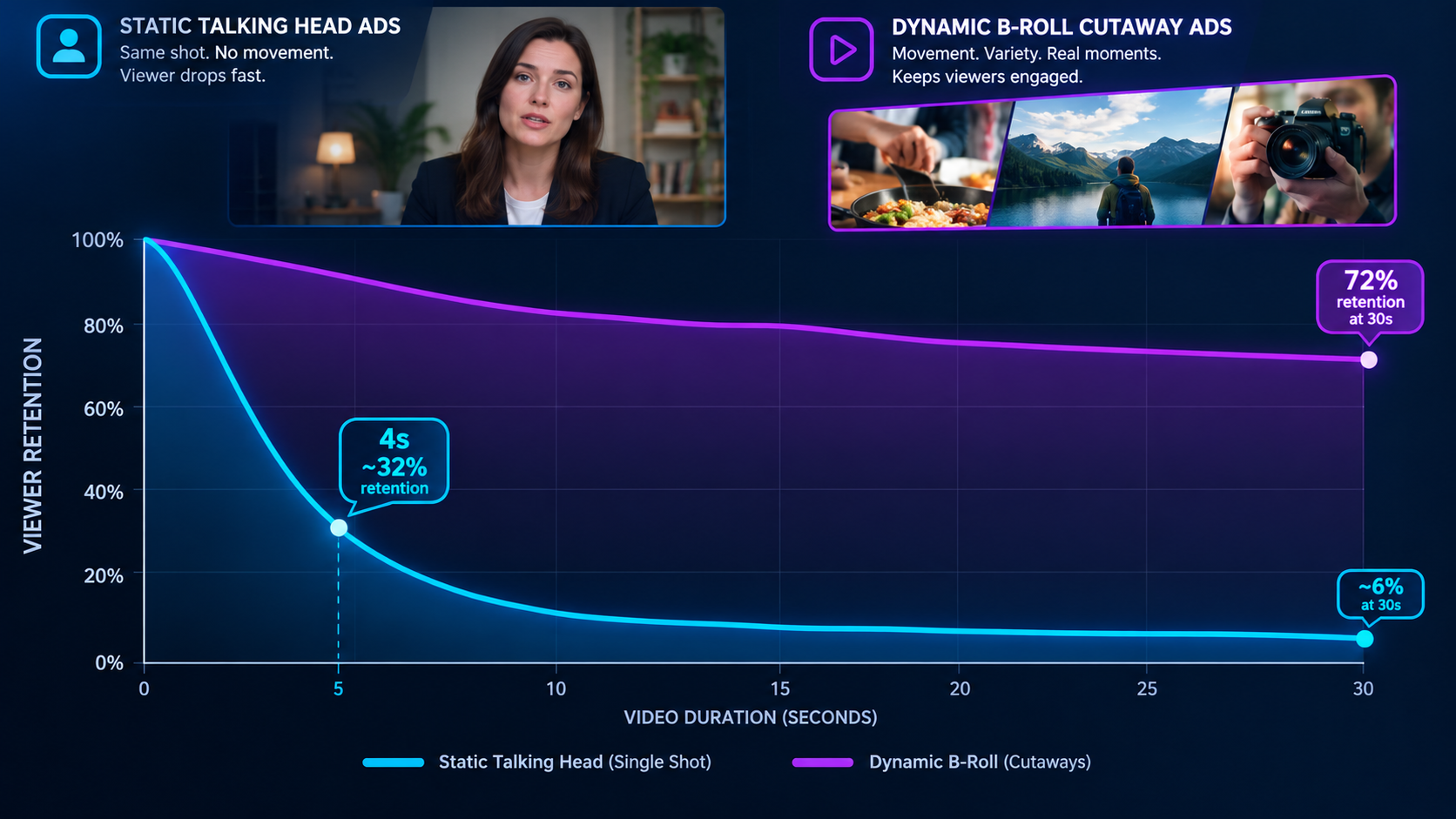
The Pacing Rule: How Often Should You Cut to B-Roll?#
One of the most frequent questions performance creative teams debate is rhythm. Cut too slowly, and you lose retention; cut too rapidly, and your ad becomes disorienting noise. In our internal creative testing across $2M+ in paid ad spend, the sweet spot for short-form ad pacing follows the 2.5-Second Pattern Interrupt Rule:
The First 3 Seconds (The Hook): Open with intense visual motion—either a dynamic B-roll cutaway of the product solving a crisis, or an unexpected avatar gesture, before stabilizing on the speaker.
Seconds 4 through 15 (The Body): Alternate between 1.5 to 2.5 seconds of speaker face time and 1.5 to 2.5 seconds of context-rich B-roll. The audio narrative flows seamlessly without pauses, while the visual changes continuously underneath.
Seconds 16 to 25 (The Climax & CTA): Split-screen or cut to immediate proof—a before-and-after comparison, packaging unboxing, or customer review overlay, before returning to the avatar delivering the final invitation to purchase.
5 Essential B-Roll Cutaway Types That Drive E-Commerce Conversions#
To execute the best b roll video tips for ads, you need a diverse library of visual tropes. Here are the five highest-converting cutaway styles every marketer should build into their creative bank:
1. The Macro Texture Shot: Extreme close-ups showing viscosity, material weave, surface gloss, or tactile mechanical clicks. This builds tactile desire that viewers can almost feel through their phone glass.
2. The Problem Demonstration: Showing the agonizing frustration that the product solves (e.g., tangled cord chaos, spilled coffee, back strain while working at a desk).
3. The Unboxing / Satisfying Packaging Moment: Peeling protective plastic, opening sleek matte boxes, or removing tamper-evident seals. ASMR and packaging reveals trigger genuine anticipation.
4. The In-Context Lifestyle Demonstration: Showing real people interacting with the item in natural environments—a runner slipping on earbuds, someone making iced espresso in a sunlit kitchen, or a professional packing a laptop bag.
5. Social Proof Proof-Points: Overlays showing real customer trust badges, five-star reviews, delivery tracking notifications, or before-and-after photographic comparisons. For creators producing automated series without personal filming, our guide on AI story video maker workflows illustrates how visual cutaways carry entire narratives.

Generating Bespoke B-Roll with AI: No Filming or Stock Sites Required#
Historically, finding high-quality B-roll forced creative directors into two bad compromises: either book a physical production shoot with expensive macro lenses, or spend hours sifting through generic stock footage sites where models look unnaturally cheerful in sterile offices.
With GetShorts' integrated AI Scene & B-Roll generator, you can type precise textual descriptions of the exact cutaway shot you need and receive cinematic, photorealistic 9:16 footage in under a minute:
'Macro top-down shot of hot espresso pouring over a scoop of vanilla ice cream, steam rising, warm morning kitchen counter, shallow depth of field, 60fps slow motion.'
The AI renders unique footage tailored directly to your brand aesthetics, free from royalty rights disputes, watermarks, or stock footage fatigue. Furthermore, if you are scaling organic faceless channels alongside paid ads, you can study our breakdown of how to make faceless videos for automated asset generation tips.
Editing B-Roll in the Multi-Track Timeline: Audio Sync and Transitions#
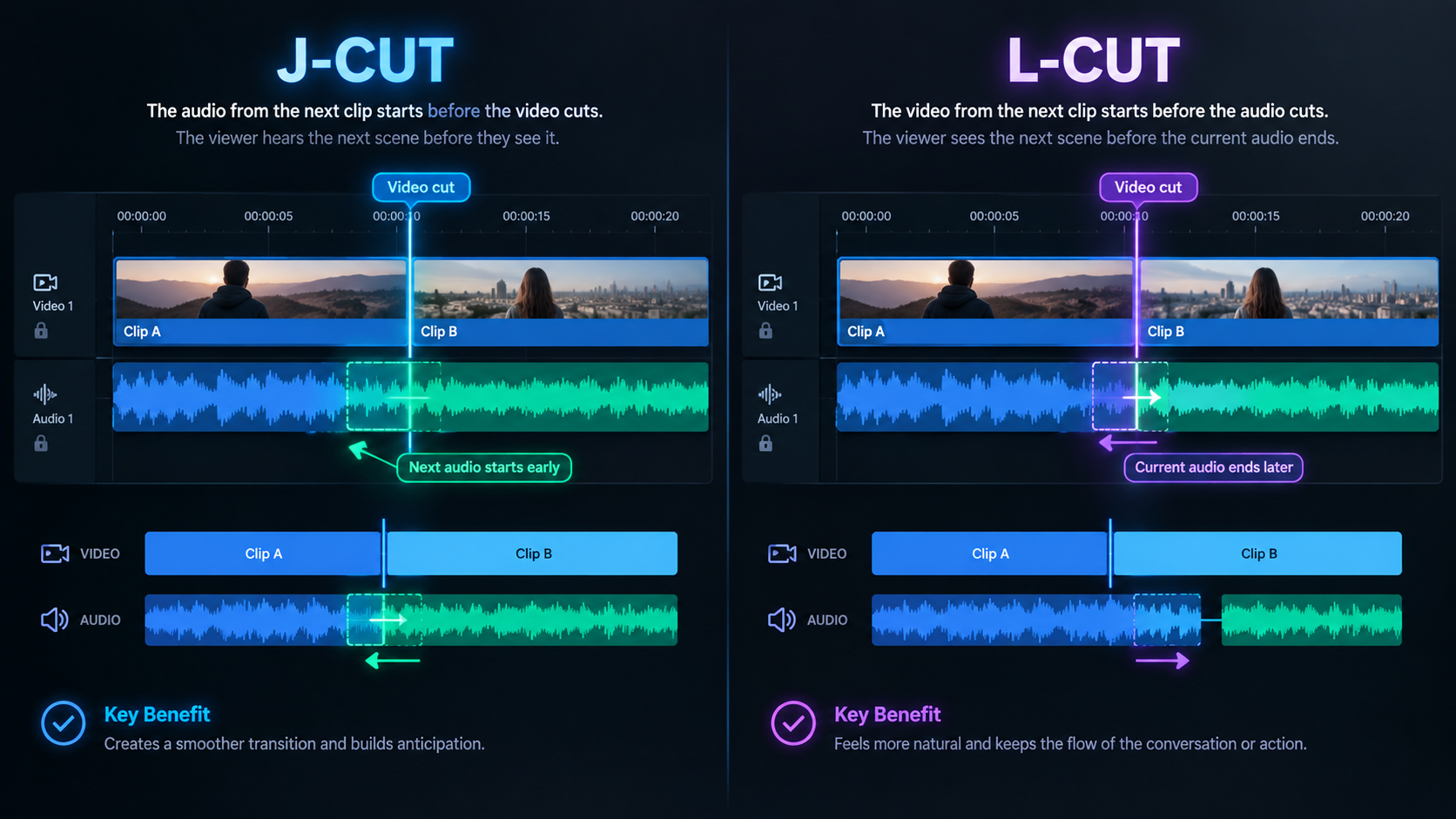
The technical secret to seamless B-roll editing is decoupling your audio and video tracks—a technique professional film editors call J-Cuts and L-Cuts:
The J-Cut: The audio of the upcoming scene starts half a second before the visual switches. For example, the sound of a blender starts while the avatar is still speaking, prompting the viewer's eyes to look for the source of the noise.
The L-Cut: The visual cuts to the product B-roll while the avatar's voice continues uninterrupted in the background narration.
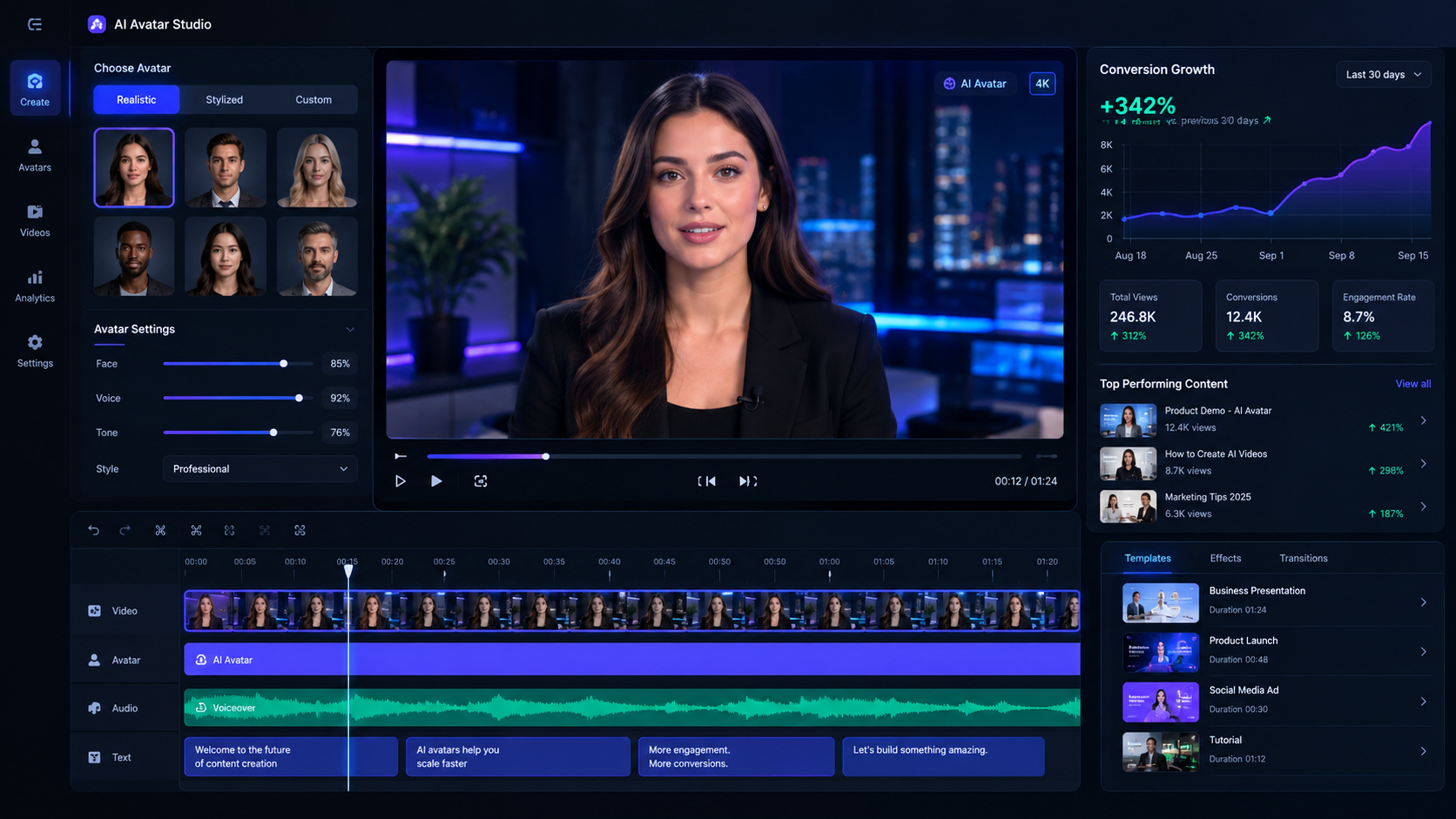
Inside GetShorts' browser-based UGC Video Editor, multi-track timeline controls make dragging, trimming, and snapping B-roll clips over your avatar audio track straightforward. You can also sample narration options using our free text to speech tool before locking in final voiceovers.
Transforming Creative Performance With Purposeful Visuals#
B-roll is not just an aesthetic flourish; it is the structural bridge that turns casual scrollers into engaged buyers. When every cut serves a distinct psychological objective—hooking curiosity, proving product quality, or visualizing satisfaction—your video ad metrics climb across the board.
Stop publishing flat, static talking heads that bleed ad spend. Harness GetShorts' AI avatars, automated scriptwriting, and instant B-roll generation to build compelling vertical creatives at scale. Check out our transparent pricing plans and start generating high-retention video ads today.
Stop Booking Overpriced Creators. Start Scaling UGC Ads.
Produce high-quality AI avatars, auto-captions, B-roll composites and translate scripts instantly. Generate 10+ hook variants for testing.
No credit card required • Start free trial instantly