How to Turn a Shopify or Amazon Product URL Into a TikTok Ad
Table of Contents
If you run an e-commerce brand on Shopify, Amazon, or TikTok Shop, you already know the single biggest growth hurdle: creative fatigue. On TikTok, even the highest-performing video ad begins burning out after 7 to 10 days. To maintain positive return on ad spend (ROAS), top media buyers test between 10 and 20 new creative angles every single week. In this tutorial, we will show you how to use product URL to create ads in under five minutes using an automated AI UGC generator, eliminating the need to ship products to influencers or film on cameras.
Instead of manually writing scripts, editing video clips, and hiring voice actors, modern URL-to-video AI pipelines analyze your live product listing, extract the highest-converting customer value propositions, pair the copy with a hyper-realistic UGC creator avatar, and compile a finished 9:16 vertical video ad. Let us walk through the exact step-by-step framework to launch your first campaign today.
Why URL-to-Video Is the Modern Playbook for E-Commerce Ad Creative#
Traditional UGC production is slow, expensive, and fragile. You typically pay between $150 and $350 per video on platforms like Insense or Billo, wait two weeks for the creator to receive your package, and often receive footage with poor lighting, mispronounced brand names, or incorrect aspect ratios. If the creative flops, that capital is gone. For a comprehensive overview of how automated video workflows are reshaping online retail, read our deep-dive on AI video for e-commerce.
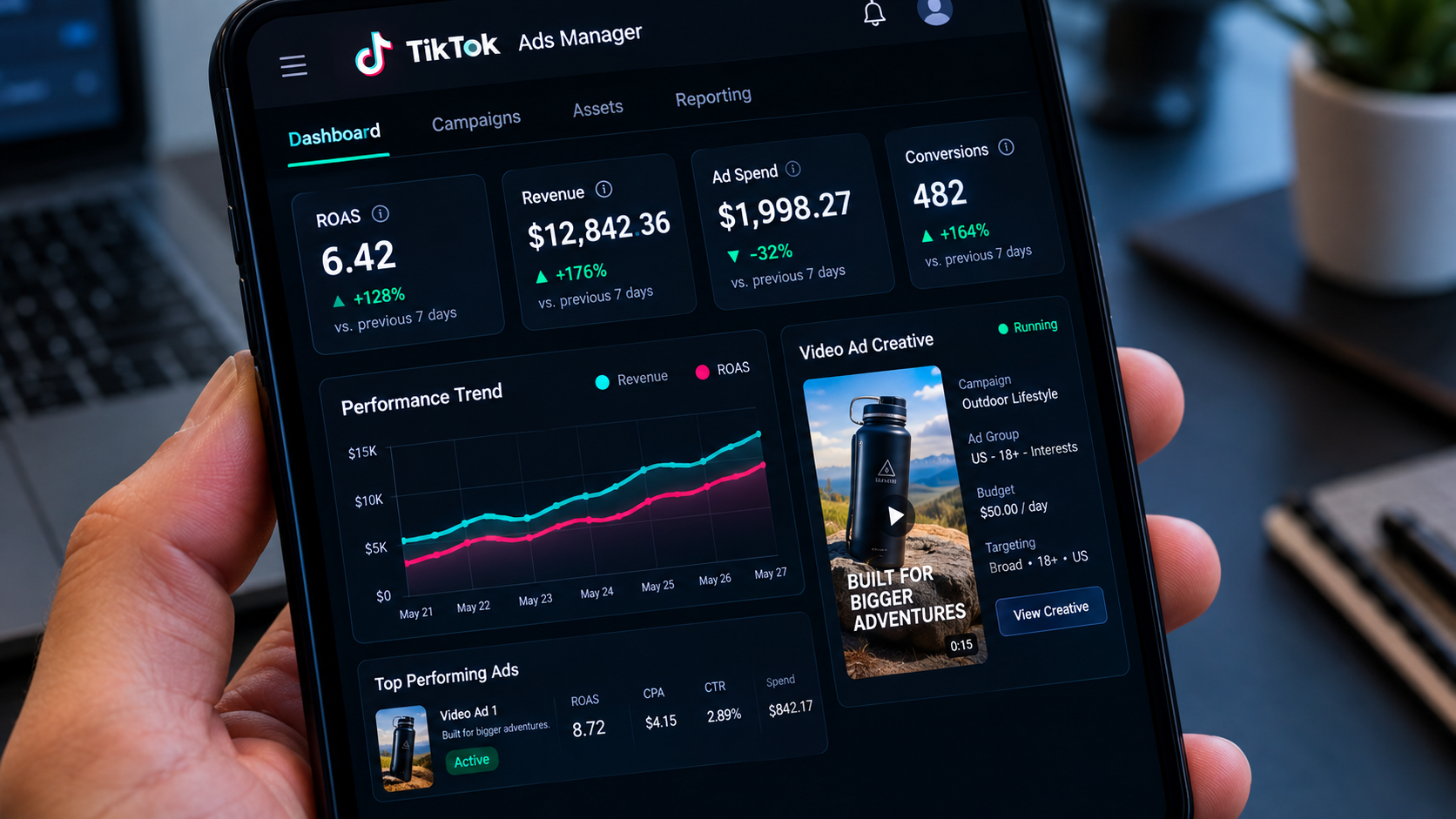
By automating creative generation directly from your product page, your cost per asset plummets by more than 90%. More importantly, your time-to-market drops from fourteen days to less than five minutes. If a competitor runs out of inventory on a trending item, you can scrape your matching product page, generate five ad variations, and begin bidding on TikTok Ads Manager within the hour.
Step-by-Step: How to Use Product URL to Create Ads in 5 Minutes#
Copy Your Product URL and Paste into GetShorts UGC Builder
Start by navigating to your public product listing. This can be your primary Shopify storefront, an Amazon ASIN product page, a TikTok Shop link, or even a Kickstarter campaign. Copy the clean URL from your browser address bar (remove tracking query parameters like '?utm_source=...').
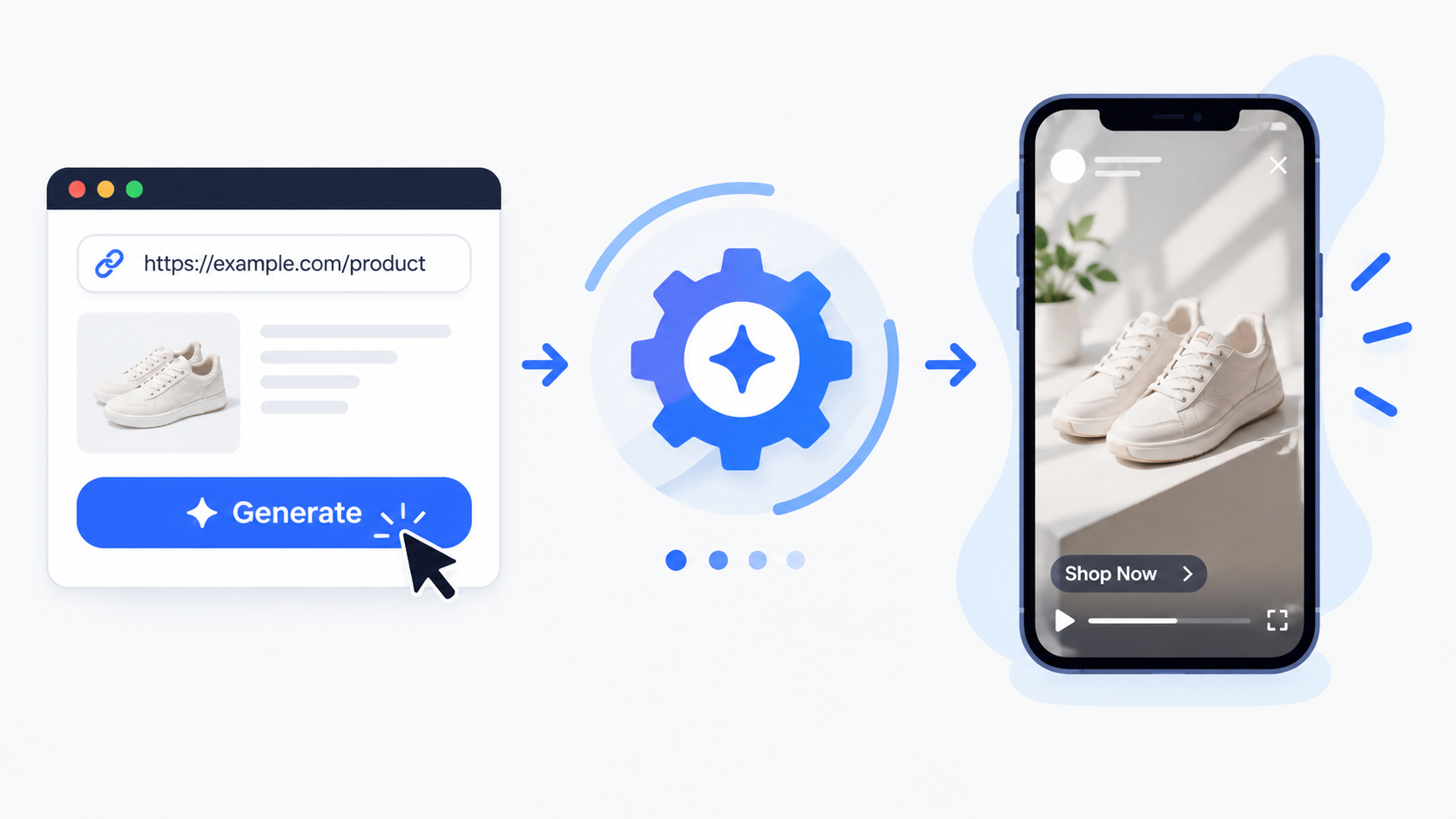
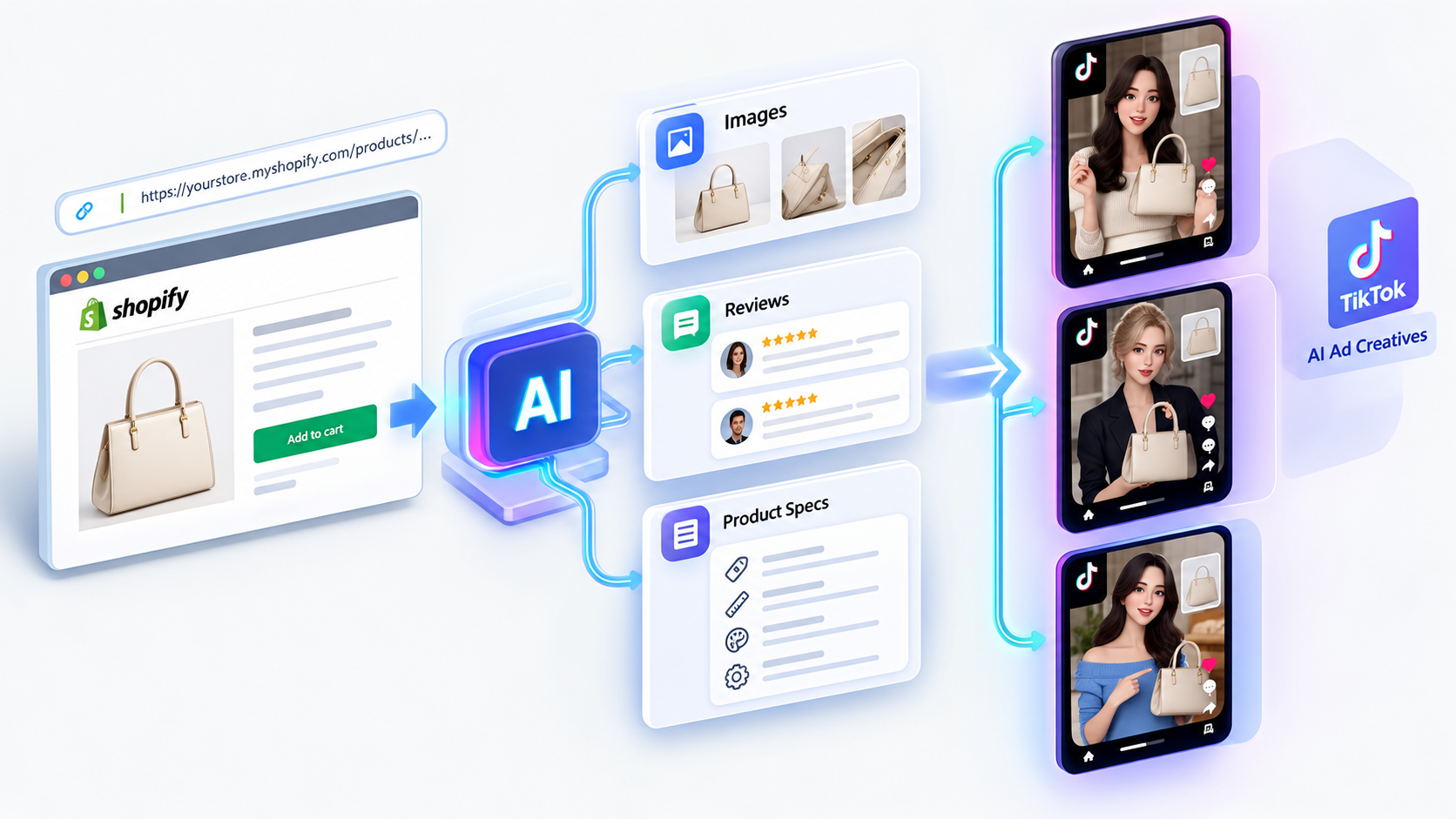
Next, log into your account and open the UGC Builder. Select the URL to Video option and paste your link into the input field. GetShorts immediately crawls the page to extract high-resolution product imagery, pricing data, customer review testimonials, key ingredient or feature bullet points, and core brand identifiers. This structured data forms the foundation of your ad creative.
Unlike rudimentary scrapers that merely grab the meta title, GetShorts synthesizes verified buyer reviews to understand the emotional reasons customers purchased your item. If five-star reviews frequently mention 'saved me 20 minutes every morning,' the AI flags that specific outcome as a primary hook candidate.
Select Your Creative Angle and Generate Hook Variations
Once your listing is parsed, choose the direct-response creative framework that fits your campaign objective. GetShorts provides pre-trained e-commerce templates:
- Problem / Agitation / Solution: Opens with a relatable consumer pain point, demonstrates the frustration of existing alternatives, and introduces your product as the ultimate fix.
- Viral Unboxing & First Impression: Mimics the organic excitement of opening a package, testing the product on camera, and reacting to instant sensory feedback.
- Us vs Them Comparison: Highlights why cheap Amazon alternatives fail and showcases your brand's superior build quality and warranty.
- Curiosity / Myth-Buster: Challenges conventional wisdom in your niche and demonstrates how your product delivers unconventional results.
The AI writes three distinct 3-second hook variations designed specifically to stop users mid-scroll on TikTok. Choose the hook angle with the strongest emotional resonance, or save all three to run an automated split-test.
Pair Your Script with an Authentic AI UGC Avatar
The key to high ad retention on TikTok is matching the avatar persona to your ideal customer profile. In the avatar selector, filter by age, gender, accent, and filming environment. For beauty and skincare products, select an avatar filmed in a bright, modern bathroom with natural vanity lighting. For tech accessories or EDC gear, pick an avatar seated in a contemporary desk setup with warm ambient tones.
GetShorts avatars deliver lines with natural micro-pauses, realistic eye contact, and organic vocal inflections powered by ElevenLabs and Kokoro TTS models. You can preview voice audio in real time and adjust the speed to 1.1x or 1.2x for that fast-paced, high-energy TikTok cadence. Furthermore, you can apply the built-in AI Skin Enhancer to fine-tune lighting temperatures and skin tones to ensure seamless blend with organic UGC aesthetics.
Ready to generate scroll-stopping video ads?
Access organic AI UGC avatars and text-to-speech in minutes.
Paste Your Product URL in the UGC Builder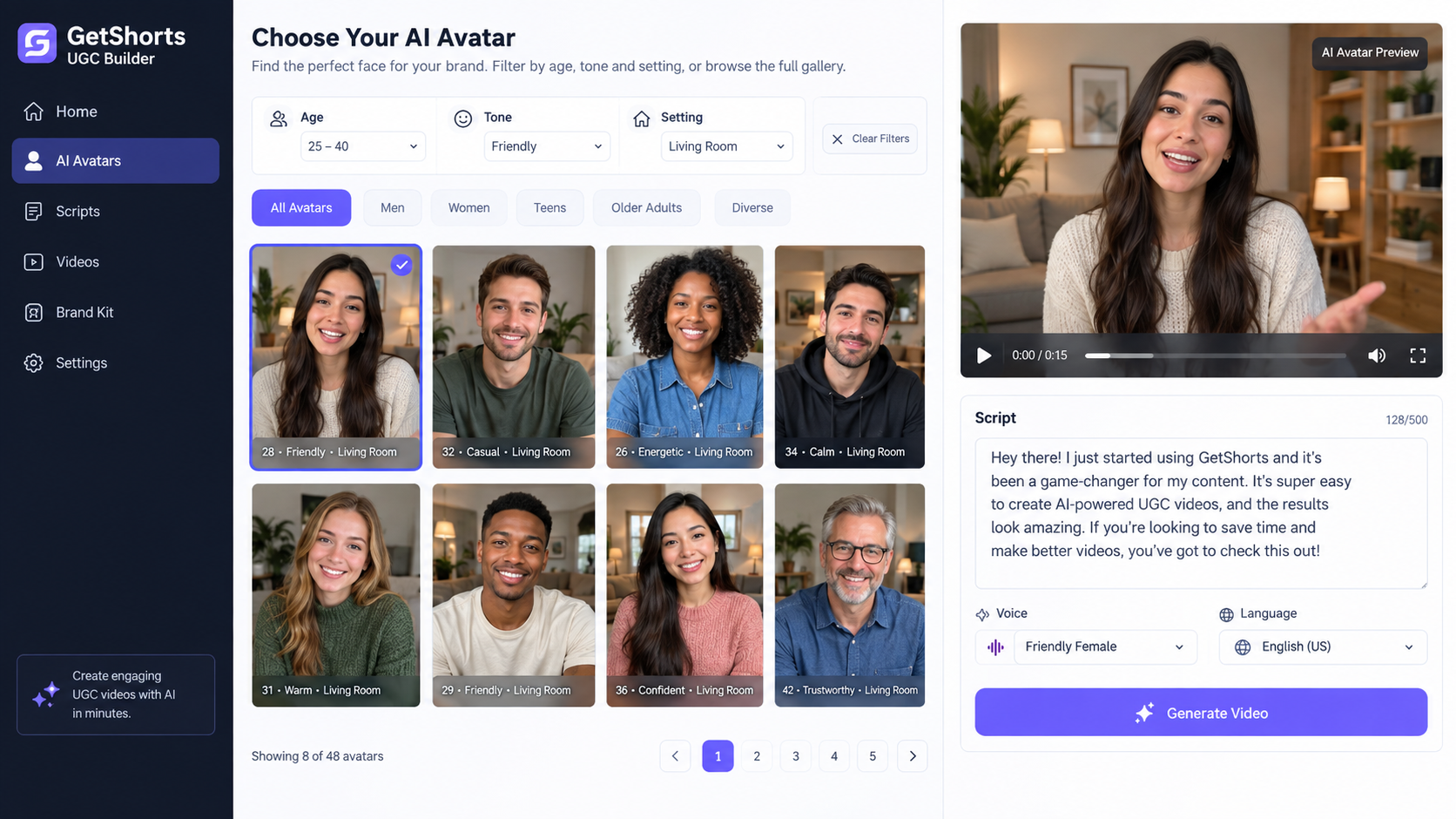
Add Dynamic AI B-Roll Cutaways and Kinetic Captions
Talking-head videos perform well, but adding visual cutaways every 3 to 5 seconds doubles average watch time. In the GetShorts timeline editor, you can seamlessly insert B-roll cutaway clips over the avatar voice track. Use your own product photography, or click 'Generate AI Scene' to produce photorealistic 3D macro demonstrations of the product in action.
Over 70% of TikTok users watch videos with sound muted during initial impressions. GetShorts automatically generates word-by-word kinetic captions with popular TikTok typography and accent highlighting (such as electric yellow or neon cyan) to guarantee your core message cuts through even in silent mode. Ensure your captions remain within the TikTok 'safe zone' (avoiding the bottom right icon cluster and top search header).
Export in 9:16 Vertical and Launch on TikTok Ads Manager
Click Render Video. GetShorts processes your multi-track project and delivers an optimized 1080x1920 MP4 file ready for immediate upload to TikTok Ads Manager, Meta Advantage+, or YouTube Shorts.
When deploying your campaign in TikTok Ads Manager, follow the 3x3 Creative Testing Protocol: set up an Ad Set with an ABO (Ad Set Budget Optimization) budget, upload 3 distinct hook variations of the video, and let the algorithm allocate spend to the highest-converting creative within the first 48 hours. If you want a more comprehensive breakdown of testing strategies, see our guide on how to create UGC ads with AI.
5 Best Practices to Maximize ROAS with Product URL Ads#
To extract the highest return on ad spend from your automated URL-to-video workflow, implement these five proven media buying rules:
- Test 3 Hooks for Every 1 Body: 80% of ad drop-off occurs within the first 3 seconds. Keep the product explanation body identical and swap the opening hook to test emotional curiosity vs problem agitation.
- Keep Pacing Under 35 Seconds: For e-commerce impulse purchases under $60, short and punchy 25-to-35-second ads consistently outperform long 60-second reviews in conversion rate.
- Lead with the Solution in Second 2: Never wait until the end of the video to reveal the product name or core benefit. Viewers need to understand what you are selling before boredom sets in.
- Refresh Creatives Every 7 to 10 Days: The moment your frequency metric creeps above 2.2 on TikTok Ads Manager, swap in fresh avatar variations to avoid audience burnout. Check out our transparent pricing tiers to see how affordable continuous creative scaling can be.
- Include an Irresistible Single Call-to-Action: End every video with a clear verbal and visual directive: 'Tap the link below for 20% off your first order today.'
Stop Booking Overpriced Creators. Start Scaling UGC Ads.
Produce high-quality AI avatars, auto-captions, B-roll composites and translate scripts instantly. Generate 10+ hook variants for testing.
No credit card required • Start free trial instantly