Top 5 Captions App Alternatives for Viral AI Subtitles
Table of Contents
When short-form creators first set out to make their vertical videos stand out on TikTok and Instagram Reels, the Captions app (Captions.ai) was an early pioneer. It popularized animated kinetic subtitles, karaoke-style active word highlighting, and auto-generated sound effects. But if you have been searching for a dedicated captions app alternative in 2026, you already know the frustration: mobile subscription lock-ins, rising desktop tier pricing, export rendering limits, and most importantly, the reality that subtitles alone do not make a winning video ad.
Today's performance marketers, e-commerce brands, and agency operators need much more than just fancy animated text overlaid on a phone recording. You need full video generation capabilities: script-to-video production, realistic AI avatars that speak directly to the audience, automated B-roll insertion, and seamless multi-track timeline editing. Adding captions to an average video won't double your return on ad spend, but generating a high-converting video with authentic visuals, flawless narration, and synchronized dynamic subtitles will.
We tested dozens of subtitle tools and automated video creation suites to determine which software actually delivers the best combination of subtitle precision, visual customization, and production speed. In this guide, we break down the top 5 Captions app alternatives available in 2026, comparing feature sets, workflow flexibility, and pricing.
Ready to generate scroll-stopping video ads?
Access organic AI UGC avatars and text-to-speech in minutes.
Try GetShorts FreeWhy Creators Are Looking for a Captions App Alternative#
Captions built a strong brand around its mobile app, offering eye-catching styles like the Alex Hormozi font, neon glowing words, and automatic emoji insertion. However, as teams scale from making one or two clips a week to launching dozens of ads every month, critical bottlenecks emerge:
First, the workflow is fundamentally reactive. You must film your own raw talking-head footage, upload it, wait for transcription, and manually correct phonetic transcription errors. For teams that want to produce video ads without filming, Captions cannot solve the underlying production bottleneck of sourcing creator footage or booking camera time.
Second, the pricing model has become restrictive. The mobile subscription often does not translate cleanly to desktop web editing, and team collaboration features are locked behind expensive enterprise tiers. When creators want to automate series or export in uncompressed 4K resolutions, they frequently encounter additional paywalls.
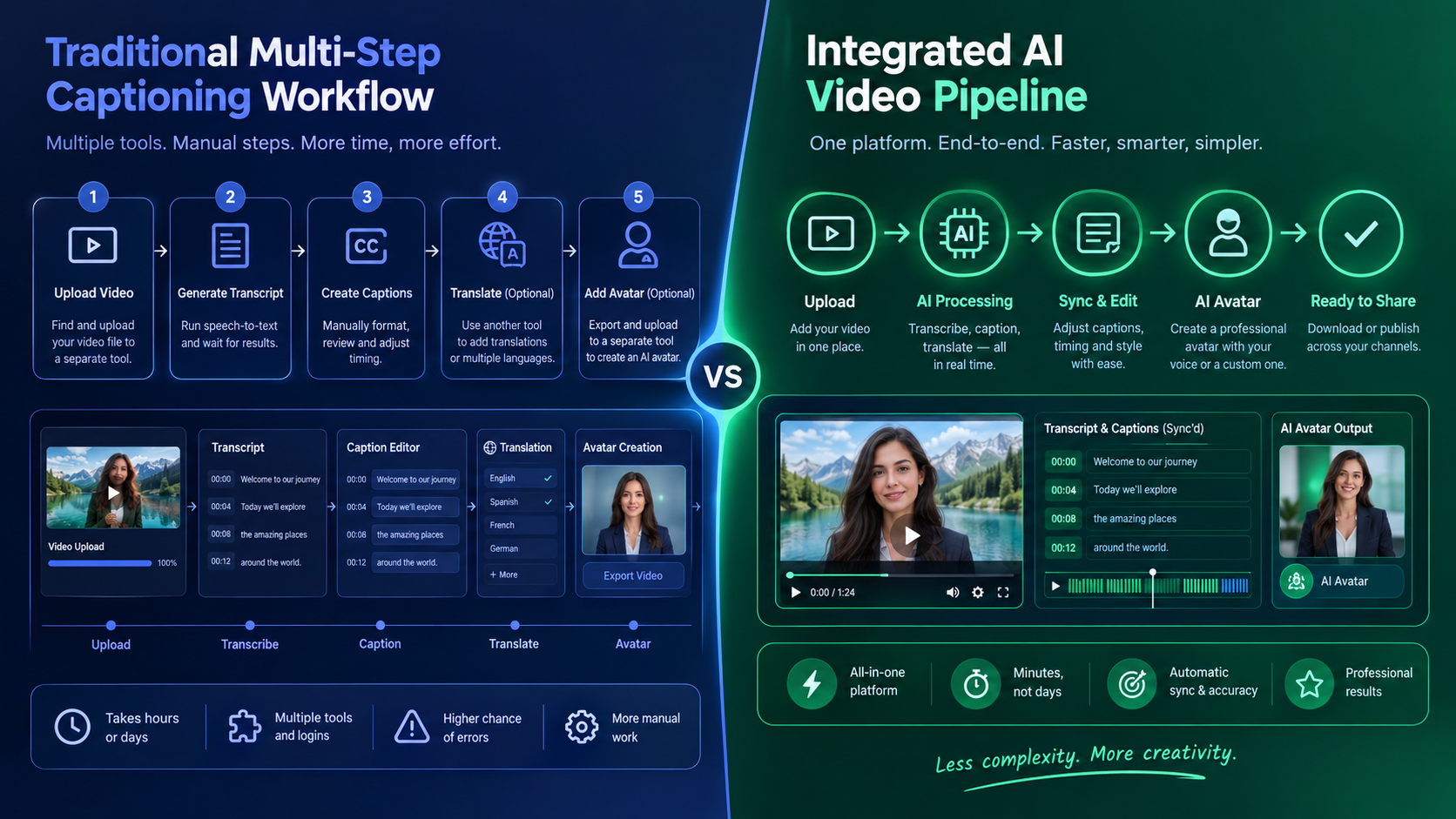
Third, standalone caption apps treat subtitles as a decorative layer rather than an integrated component of video retention. If the pacing of your hook is sluggish or your audio voiceover lacks emotional punch, flashy animated words will not prevent a viewer from swiping past. That is why modern creators are pivoting toward end-to-end platforms like GetShorts that handle avatar generation, voice synthesis, auto-captions, and timeline editing in one unified workspace.
Quick Comparison: The 5 Best Captions App Alternatives#
Here is an overview of how the top contenders stack up in terms of core specialization, AI avatar capabilities, editing depth, and entry pricing:
| Feature | GetShorts | Submagic | Opus Clip | CapCut | Descript |
|---|---|---|---|---|---|
| Primary Focus | Complete AI UGC Ads & Subtitles | Short-Form Kinetic Subtitles | Long-to-Short Repurposing | General Video Editing | Text-Based Audio & Video |
| Auto-Captions & Subtitle Presets | Yes (99%+ Accuracy & Custom Fonts) | Yes (Extensive Style Presets) | Yes (Auto-Highlighting) | Yes (Basic Animated Captions) | Yes (Customizable Subtitles) |
| AI Avatar & UGC Builder | Yes (Lifelike Avatars Included) | No | No | Basic Commercial Avatars | No |
| Timeline Editor | Yes (Multi-Track UGC Editor) | Trim & Cut Only | Clip Trimming Only | Full Timeline Editor | Text-First Timeline |
| Voice Cloning Integration | Yes (ElevenLabs Built-In) | No | No | Basic Preset Voices | Overdub Voice Engine |
| B-Roll Generation | Yes (AI Video Scenes & B-Roll) | Magic B-Roll (Stock Media) | Stock B-Roll Overlay | Manual Stock Search | Stock Media Library |
| Starting Price | $29/mo (Starter Plan) | $20/mo | $19/mo | Free / $9.99/mo Pro | $12/mo |
1. GetShorts: Best Overall Captions App Alternative for Marketers & Brands#
If you are looking for a platform that transcends simple subtitle styling and gives you the power to generate complete, high-converting video ads on autopilot, GetShorts is the definitive choice. Unlike Captions, which expects you to bring your own raw footage, GetShorts functions as a complete AI video creation studio tailored for performance marketing, social media growth, and e-commerce conversions.
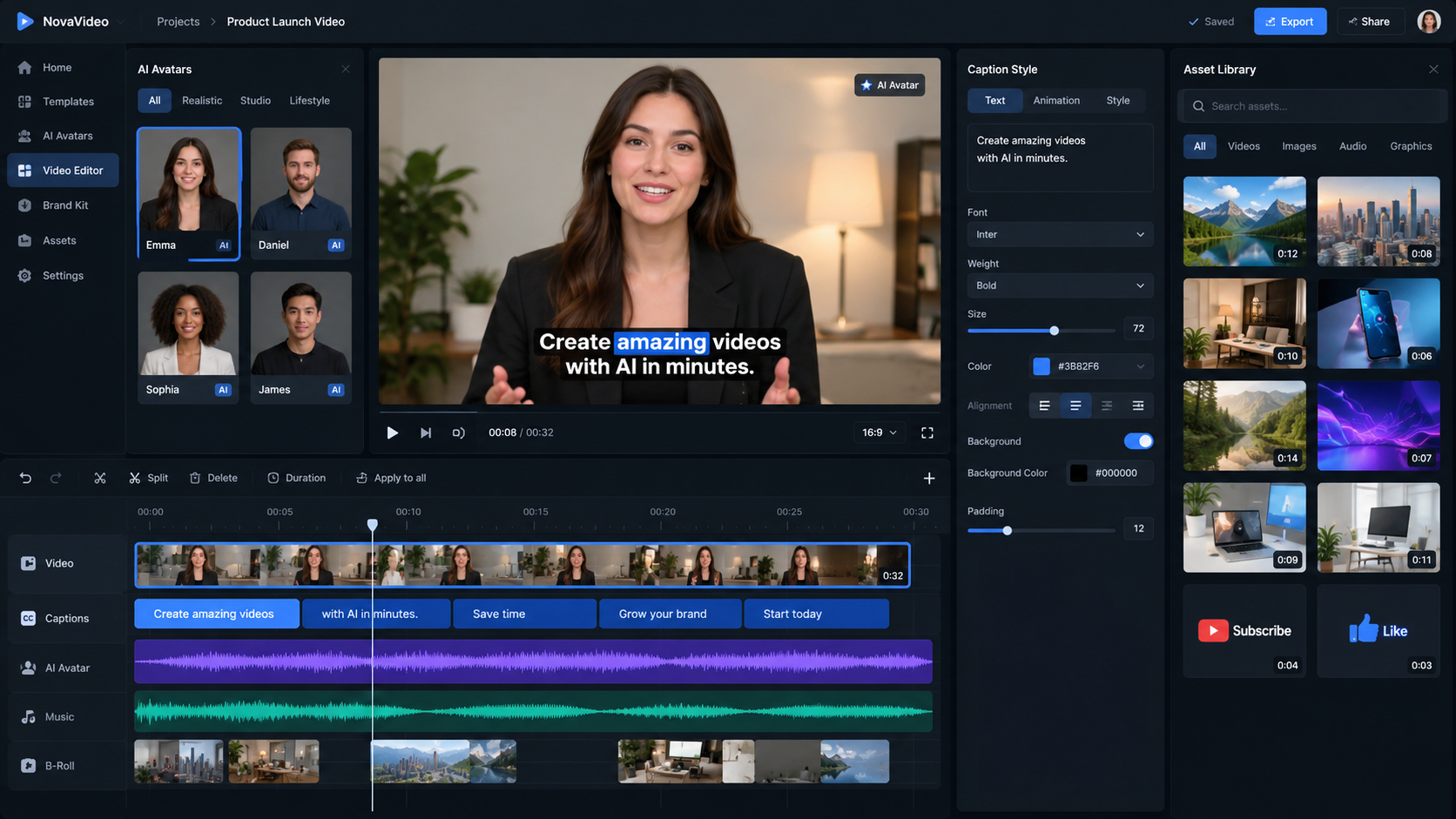
With GetShorts, dynamic auto-captions are generated automatically with word-by-word timing, punchy brand-matched fonts, and retention-focused animations. But the true advantage lies in what happens before and behind the subtitles: you can generate human-like UGC creators with the AI UGC generator, write viral scripts via Auto Mode or conversational Chat Mode, generate custom B-roll scenes, and polish every cut on a multi-track UGC Video Editor.
Furthermore, GetShorts includes access to a free AI text to speech tool powered by the Kokoro engine with 20+ voices, as well as native ElevenLabs voice cloning. That means you can craft authentic narration, pair it with realistic lip-synced avatars, and layer kinetic subtitles seamlessly without switching between four different apps.
GetShorts Pros
- •End-to-end generation: scripts, lifelike AI avatars, B-roll, and auto-captions in one place
- •Full-featured multi-track UGC Video Editor with timeline control over audio, visual layers, and captions
- •Built-in ElevenLabs voice cloning and Kokoro TTS engine with multilingual support
- •Series automation for scheduled hands-free posting across TikTok, Instagram Reels, and YouTube Shorts
- •Prompt-to-Avatar and AI Skin Enhancer to fine-tune character aesthetics without re-shooting
GetShorts Cons
- •Focused primarily on vertical performance video (9:16) rather than horizontal cinematic films
- •Not designed for multi-hour documentary podcasts
2. Submagic: The Direct Competitor for Fast Kinetic Subtitles#
Submagic is perhaps the most direct alternative to the Captions app for creators who already have pre-recorded footage and simply want fast, web-based subtitle styling. Submagic became famous for automatically adding emojis, animated text highlights, sound effects, and B-roll cutaways to talking-head videos.
Its interface is intuitive: you upload an MP4 file, pick a styling preset (such as MrBeast, Hormozi, or Ali Abdaal style), and let the AI process the audio. Submagic automatically chooses which words to emphasize in bold colors and inserts relevant stock video clips or GIFs when specific nouns are mentioned.
The main limitation with Submagic is that it remains strictly an overlay utility. If your raw video is blurry, your delivery is flat, or you lack an on-camera spokesperson entirely, Submagic cannot create that content for you. Additionally, the entry-level tier imposes strict video length and monthly export limits, forcing power users onto higher subscription plans.
Submagic Pros
- •Quick turnarounds for existing talking-head clips
- •Great library of popular creator subtitle presets and sound effects
- •Automatic emoji suggestions synchronized with spoken words
Submagic Cons
- •Cannot generate AI avatars, scripts, or original video footage
- •Strict monthly video minute caps on lower pricing tiers
- •Limited multi-track timeline editing control
3. Opus Clip: Best for Repurposing Long Podcasts Into Subtitled Shorts#
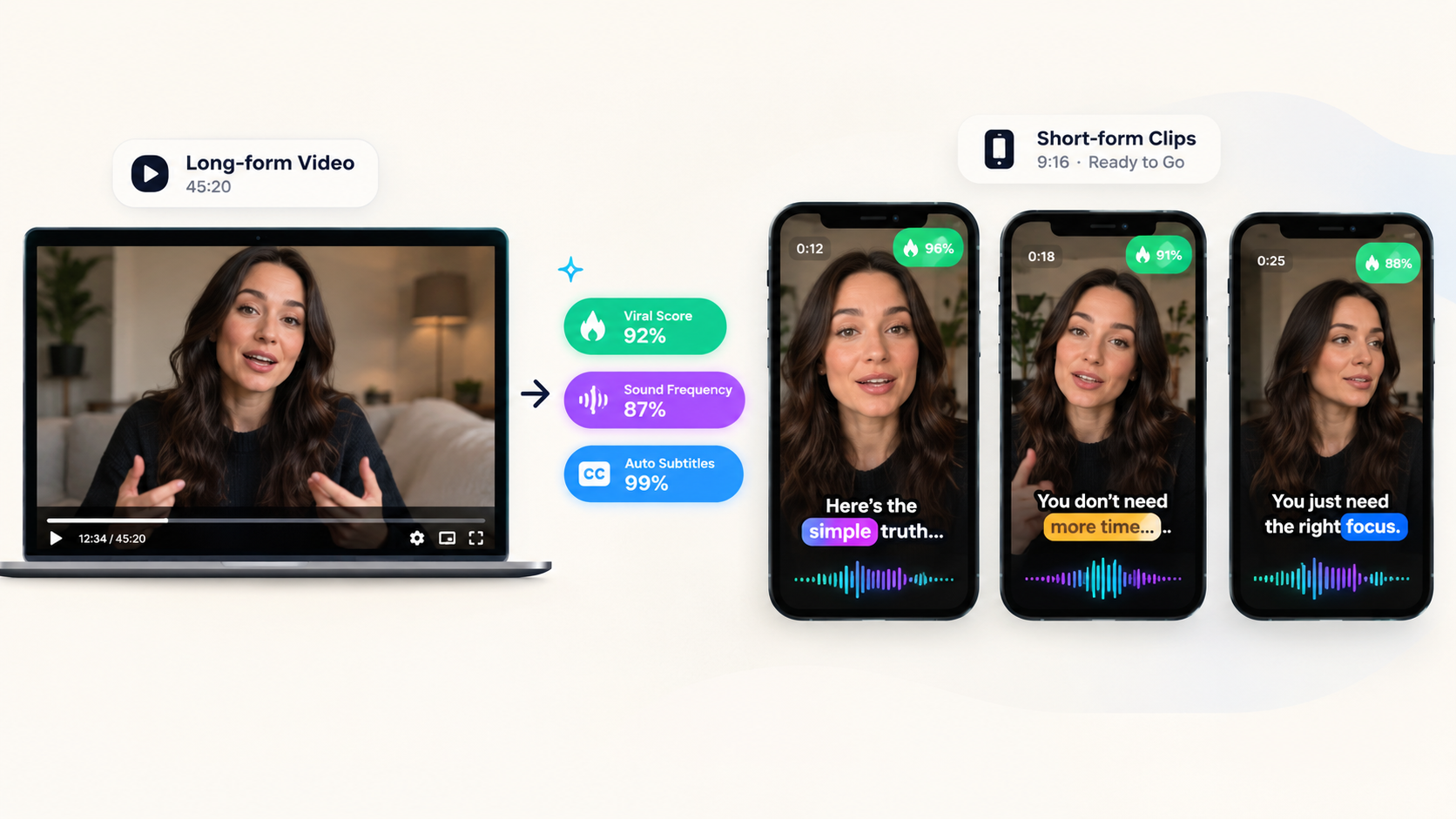
If your primary video production workflow starts with long-form recordings such as podcast interviews, webinars, or YouTube live streams Opus Clip is an outstanding captions app alternative. Instead of asking you to edit manually, Opus Clip scans your long video, extracts the most engaging soundbites using virality scoring algorithms, reframes the speaker into a 9:16 vertical crop, and applies animated captions automatically.
Opus Clip excels at speed for interview formats. It identifies active speakers and cuts between multiple cameras smoothly. The auto-captions are reliable and offer multiple typography templates with dynamic word highlighting.
However, Opus Clip is purely a curation tool. It cannot write custom ad scripts for a physical product, produce marketing hooks, or generate virtual actors. For e-commerce brands looking to launch Meta or TikTok Shop ads, repurposing podcast soundbites rarely matches the high conversion rates achieved by targeted faceless video generator narratives or UGC ads.
Opus Clip Pros
- •Effortless conversion of 60-minute podcasts into bite-sized 30-second clips
- •AI virality scoring helps identify the strongest hooks
- •Automated speaker tracking and vertical framing
Opus Clip Cons
- •Not built for script-to-video ad creation or direct-response marketing
- •No AI avatars or custom voice cloning features
- •Caption customizations are somewhat rigid compared to dedicated editors
4. CapCut: The Free Budget-Friendly Desktop & Mobile Powerhouse#
Owned by ByteDance (the parent company of TikTok), CapCut is the editing tool used by millions of everyday creators. CapCut features a robust built-in auto-captions tool that transcribes voiceovers in dozens of languages, with access to hundreds of trending animation presets, font styles, and text bubble effects.
CapCut gives you a full traditional multi-track timeline, keyframe animation, background removal, and speed curves. For creators on a shoestring budget who are willing to perform all trimming, cutting, and asset arrangement manually, CapCut provides unmatched value on its free tier.
Where CapCut falls short is workflow automation. It requires hands-on manual effort for every single video. While ByteDance has introduced commercial AI avatars, they look visibly synthetic compared to dedicated avatar studios, and enterprise data security policies often restrict CapCut usage across corporate agencies. If you want automated production rather than manual editing labor, CapCut will not save you time.
CapCut Pros
- •Free tier includes comprehensive auto-captioning tools
- •Huge library of trending audio tracks, transitions, and text templates
- •Available on iOS, Android, macOS, Windows, and web browsers
CapCut Cons
- •Requires manual editing for every project; zero workflow automation
- •Commercial usage restrictions and enterprise privacy concerns
- •AI voiceovers and avatars lack realistic nuance for premium ads
5. Descript: Best for Audio-First Creators & Podcast Transcripts#
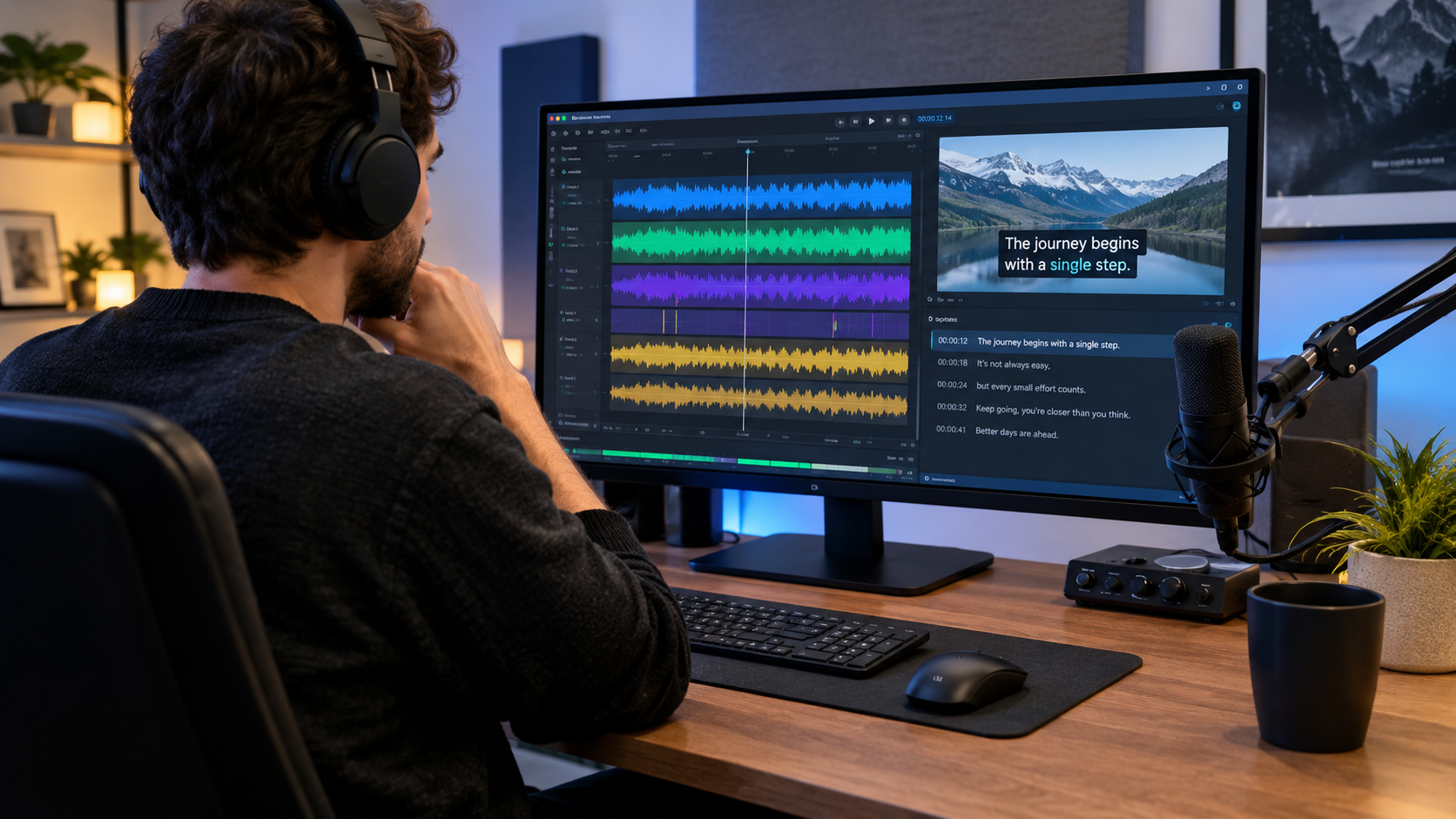
Descript revolutionized video editing by introducing document-style editing: you edit the transcript text, and the software cuts the video accordingly. If you delete a sentence from the written script, the video footage automatically trims that exact timestamp.
Descript's caption generation is accurate, and it allows you to style subtitles with custom fonts, colors, and border strokes. It also features Studio Sound (an AI audio enhancer that cleans room echo) and Overdub (voice synthesis trained on your own speech).
The drawback of Descript is its learning curve and performance overhead. It is fundamentally an audio editing workstation adapted for video. When rendering complex vertical 9:16 reels with animated overlays, multiple text layers, and fast pacing, Descript can feel sluggish and cumbersome compared to modern cloud-native tools built specifically for social media advertising.
Descript Pros
- •Text-based editing makes cutting conversational speech incredibly fast
- •World-class AI audio cleanup with Studio Sound
- •Accurate multilingual transcription
Descript Cons
- •Heavy desktop client with slow export rendering on complex vertical videos
- •Subtitle styling animations are basic compared to Captions or GetShorts
- •Lacks generative video ad creation tools and realistic UGC avatars
Key Criteria for Choosing the Right Captions App Alternative#
To select the ideal platform for your workflow, evaluate these four critical factors before committing to a paid plan:
1. Production Depth vs. Surface Styling: Are you only trying to decorate video files that you already recorded on your phone? Or do you need a solution that generates the script, voiceover, actor avatar, and visuals from scratch? If you want to bypass filming entirely, an all-in-one generator like GetShorts will eliminate hours of filming and editing headaches.
2. Audio Precision and Voice Synthesis: Subtitles are only as good as the audio timing behind them. Tools that integrate industry-standard voice engines like ElevenLabs or high-speed engines like Kokoro ensure pristine synchronization between spoken phonemes and on-screen word highlights.
3. Multi-Track Timeline Flexibility: Avoid tools that trap you in rigid automated templates where you cannot adjust a cut by 0.2 seconds or swap out an awkward word. Having a true timeline editor lets you fine-tune avatar placement, B-roll cutaways, and caption sizing.
4. Pricing and Scaling Predictability: Compare the true cost per exported video. Many mobile apps lure users with cheap monthly trials but introduce severe export limits or steep add-ons for HD downloads. Review transparent plans like the GetShorts pricing tiers ($29/mo Starter, $49/mo Creator, $79/mo Pro) which include complete video credits and story videos rather than nickel-and-diming per subtitle track.
The Verdict: Which Tool Should You Pick?#
For creators whose only requirement is adding auto-captions to existing phone videos on a zero budget, CapCut remains a capable manual tool. For podcasters slicing two-hour interviews into short clips, Opus Clip is a great specialized solution.
However, for marketers, agency leads, and direct-to-consumer founders seeking the most complete captions app alternative that transforms text prompts or product links into polished, ready-to-run video ads, GetShorts delivers an unbeatable advantage. You get dynamic word-level subtitles, lifelike AI spokespeople, automated voice cloning, and timeline editing all in one collaborative dashboard.
Stop Booking Overpriced Creators. Start Scaling UGC Ads.
Produce high-quality AI avatars, auto-captions, B-roll composites and translate scripts instantly. Generate 10+ hook variants for testing.
No credit card required • Start free trial instantly