How to Start a Faceless YouTube Channel That Earns $10K/Month With Digital Art Story Videos
Table of Contents
Some of the fastest-growing YouTube channels in 2026 share one thing in common: nobody knows who's behind them. No face on camera. No expensive studio. No editing team. Just digital art story videos with a voice narrating engaging content, and they're pulling in $10,000 or more every single month.
The secret? Volume + consistency + a workflow that makes creating one video take about 10 minutes. That's it. If you publish one quality video a day, the compounding effect on views, subscribers, and ad revenue is genuinely staggering, and this tutorial walks you through exactly how to do it using the AI UGC video builder inside GetShorts.
Why Digital Art Story Videos Are Printing Money Right Now#
Before we get into the how, let's talk about the why, because understanding what makes this content format work is what separates channels that blow up from ones that stay stuck at 200 subscribers.
Digital art story videos have a specific aesthetic: bold ink outlines, vivid panel-style scenes, expressive characters with strong emotions, and a narrated story driving the whole thing. Think motivational stories, moral tales, Reddit-style personal narratives, or even historical summaries, all told through striking graphic novel-style visuals.
Why does this style work so well?
- ✅ High retention rate — The visual storytelling loop keeps viewers watching past the 50% mark, which YouTube rewards with more distribution.
- ✅ No copyright risk — You own your voice, your script, and your AI-generated visuals. No stock footage takedowns.
- ✅ Scalable — Once your workflow is set up, you can produce 1 video per day without it feeling like a full-time job.
- ✅ Algorithm-friendly — Shorts, Reels, and TikTok all favor story-format content. One video can live on 4 platforms simultaneously.
- ✅ Brand-safe for monetization — Advertisers love clean, professional-looking content. CPMs on story channels can reach $8–$20.
What Channels Are Already Killing It With This Format#
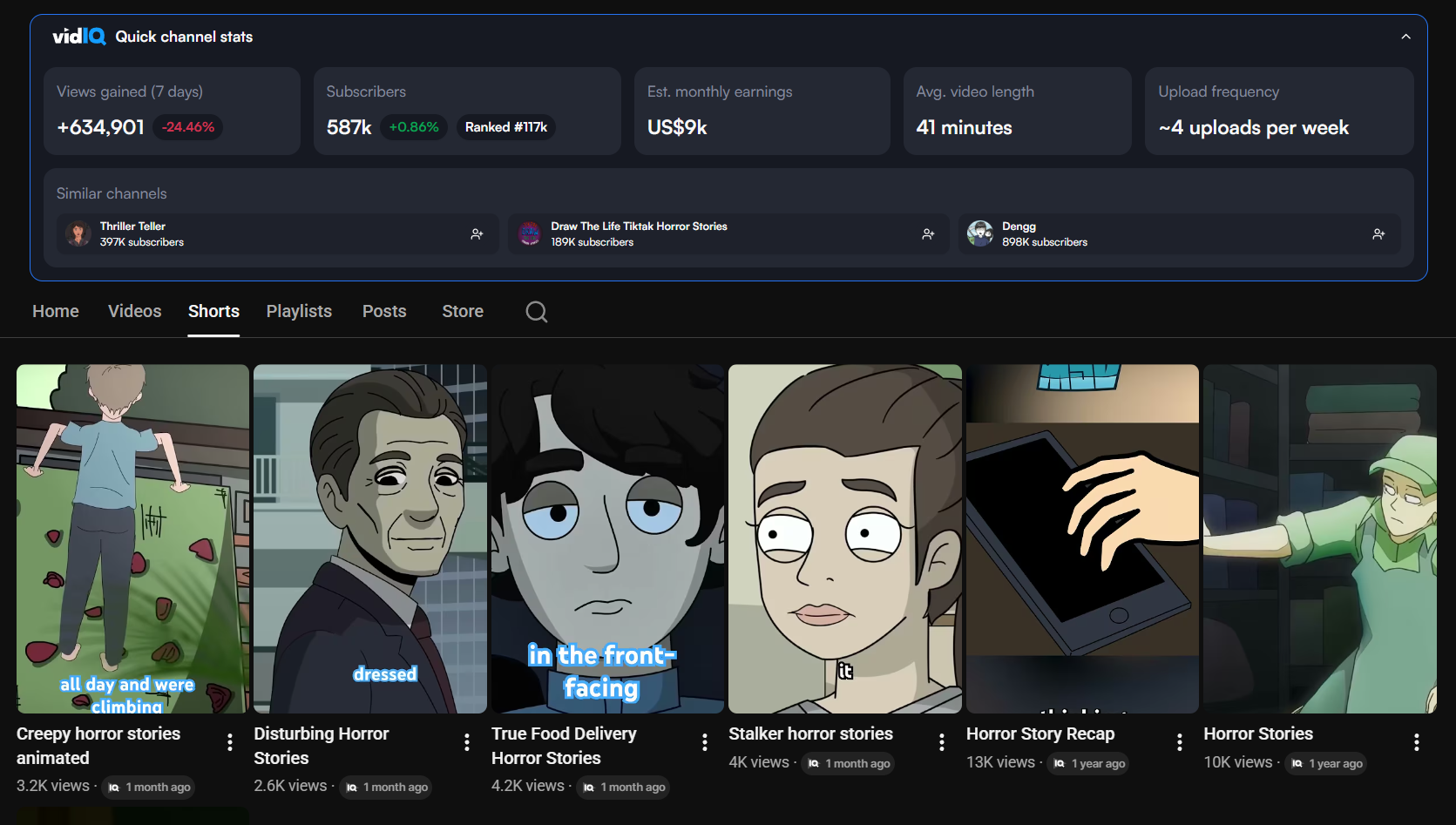
You've probably seen these channels on your feed without realizing they're all following the same playbook. Channels in these niches are consistently clearing 6 figures per year:
- 🎭 Reddit story compilations — "AITA", "Petty Revenge", "Entitled People", animated with simple characters reading real Reddit posts
- 💡 Motivational & life lessons — Short parable-style stories with moral lessons at the end. Huge on YouTube Shorts.
- 📖 Historical narratives — "The Rise and Fall of..." format. Works especially well in long-form (8–20 min)
- 🧠 Psychology & behavior stories — Stories that illustrate psychological concepts with relatable characters
- 💰 Money & finance stories — "How I went from $0 to $1M" style narratives with animated explainers
The common thread across all of these? A strong voice + a bold digital art visual style + a story people actually want to finish. And here's the good news: you don't need to be a professional illustrator or voice actor to replicate this. You just need a repeatable 10-minute workflow.
Ready to generate scroll-stopping video ads?
Access organic AI UGC avatars and text-to-speech in minutes.
Try GetShorts Free, Start Your First Story VideoThe 10-Minute Workflow: How to Create One Video Per Day#
This is the core of the whole strategy. The reason most creators fail is that they spend 4–6 hours on a single video and burn out after week two. The creators who hit $10K/month figured out a repeatable system. Here's exactly how it works:
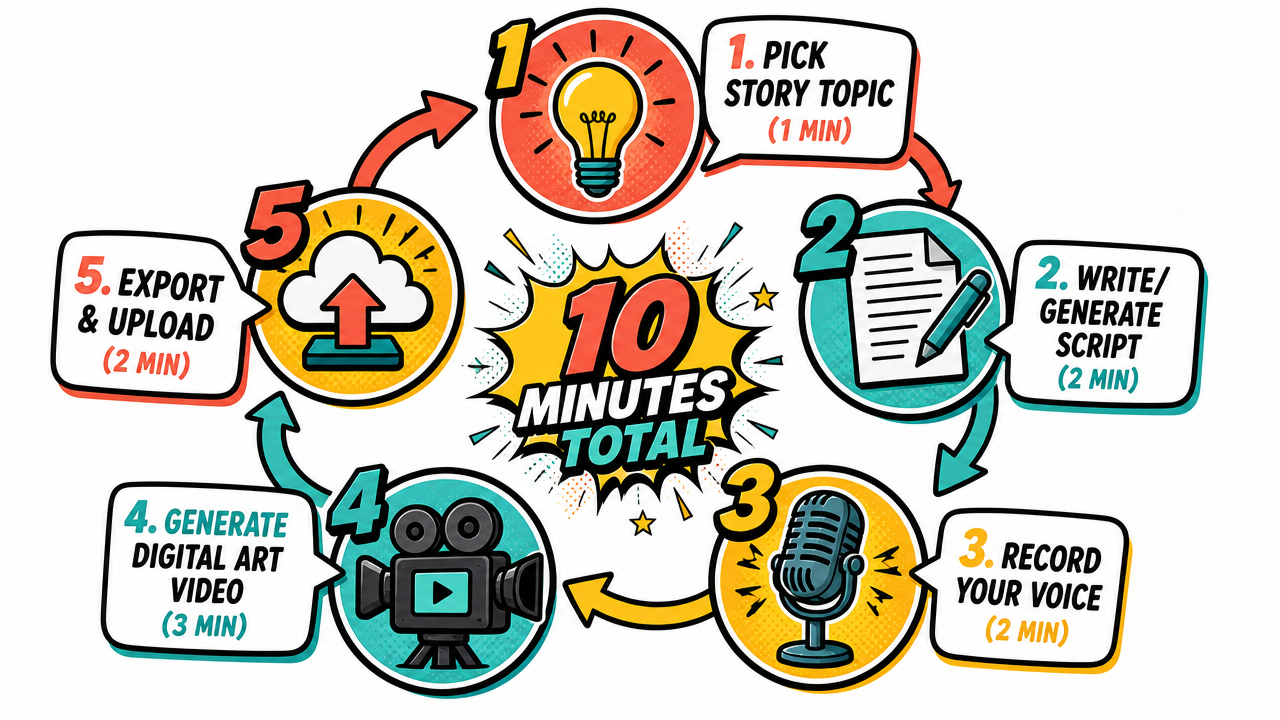
Pick Your Niche and Story Topic (1 minute)
Don't pick a new topic each day, that's a time killer. Instead, create a content bank. Spend one Sunday per month finding 30 story ideas and dropping them into a simple spreadsheet. On any given day, you just pull the next idea off the list.
Good sources for story ideas: Reddit (r/AITA, r/relationships, r/pettyrevenge), Quora personal stories, historical events Wikipedia, personal finance case studies, or psychology research summaries.
Pro tip: Sort your ideas by emotional hook. Stories with a strong emotional payoff (betrayal, redemption, surprise twist) consistently outperform informational ones.
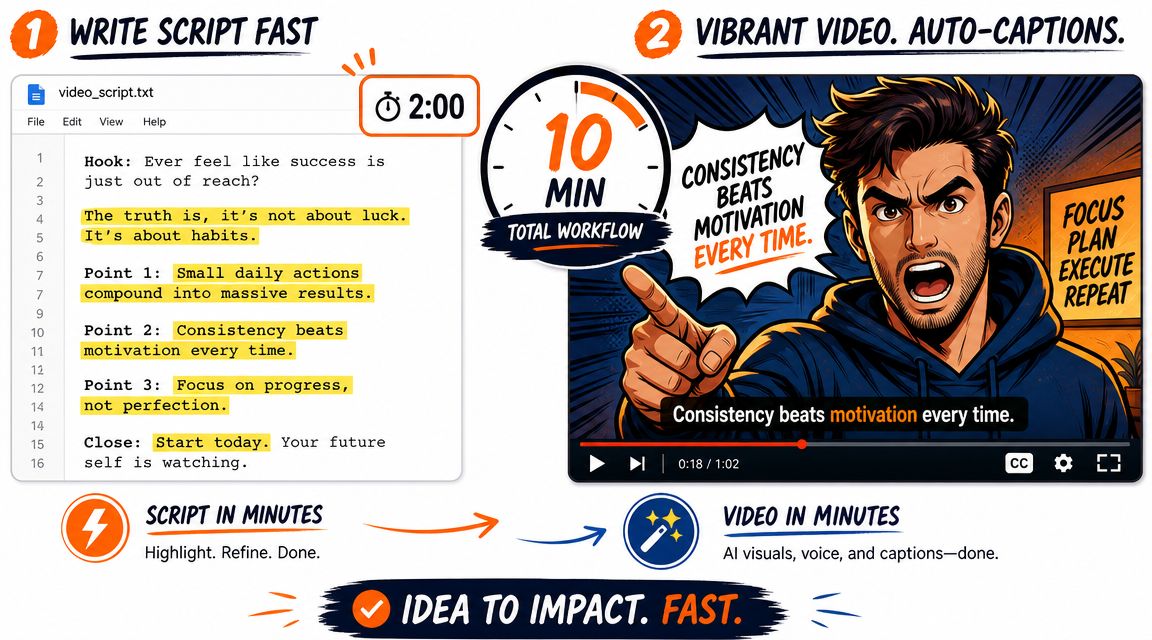
Write or Generate Your Script (2 minutes)
For a 5–8 minute video, you need about 700–1,200 words of narration. You can write this yourself or use an AI writer (ChatGPT, Claude) with a prompt like:
"Write a 900-word narrated story about [topic] in a conversational tone. Include an emotional hook in the first 30 seconds, build tension through the middle, and end with a clear lesson or resolution. Write it as if a single narrator is telling the story."
Spend 2 minutes reviewing the output, adjusting anything that sounds robotic, and you have your script.
Record Your Voice (2 minutes)
This is where most guides tell you to use a generic AI voice, and that's exactly why most faceless channels sound the same and plateau early. Your own voice is your competitive advantage.
You don't need a recording studio. A decent USB microphone (or even AirPods in a quiet room) produces perfectly usable audio. Record yourself reading the script in one or two takes. Don't overthink pacing, natural imperfections actually build trust with viewers.
If you're not comfortable with your raw voice yet, use GetShorts' voice cloning tool to create a clean, consistent version of your own voice that you can use across every video. You record once, and the AI handles the rest going forward.
Generate Your Digital Art Story Video (3 minutes)
Here's where GetShorts really earns its keep. The process has three tight steps that together take about 3 minutes:
- Step 4a — AI image generation: Paste your script into GetShorts Chat Mode and ask it to break the script into 4-second scenes. The AI plans each scene, writes detailed digital art image prompts with continuity references between scenes, then queues them all for generation simultaneously. You click Go once.
- Step 4b — Clone your voice with emotion: Open the UGC Builder, select your cloned voice, paste the full script, and add emotion tags to specific lines (excited, serious, curious) so the narration feels alive. You don't need a talking-head video — just hit generate to get the audio track.
- Step 4c — Assemble in the Editor: Drag your generated audio into the editor timeline, then drop each digital art scene image in order. Stretch or compress images so they fill the audio length naturally. Export, add AI-generated captions, style them, done.
The AI handles the visual heavy lifting. Your only job is sequencing images to match the emotional arc of your narration.
The 2-part walkthrough below shows the exact workflow described above using a real script about the Opening Range Breakout trading strategy — a 44-second punchy story video built entirely inside GetShorts from a blank page, using a cloned voice, AI-generated digital art images, and the built-in editor. Watch it and you'll have zero excuses not to start today.
Part 1 covers the AI-assisted image generation workflow. You'll see a pre-written script (Opening Range Breakout trading strategy) get fed into GetShorts Chat Mode, which breaks it down into timed scenes and automatically writes detailed digital art prompts for each one — covering scene continuity so characters look consistent from panel to panel. The AI queues all image generations simultaneously. You watch them populate in real time. No manual prompting per scene. No Photoshop. Just one confirmation click and a job queue that runs itself.
Part 2 shows the voice and edit assembly. With the digital art scenes generated, the UGC Builder is used purely for its audio engine — the cloned voice reads the full script with emotion tags applied line by line (no talking head, just the audio track). The audio comes back in seconds, sounds completely natural, and runs 44 seconds. Then it's dragged straight into the editor, the digital art scene images are laid in one by one using the timeline hover labels to identify each one, and the timing is adjusted so images breathe naturally with the narration. Finally, the video is exported, AI captions are generated and styled (red accent color, white background, large readable size), and the final video is ready to upload. Start to finish: under 10 minutes.
Export and Upload (2 minutes)
Once your video renders, export it at 1080p (or 1080x1920 for Shorts/Reels). Upload it to YouTube with a title that follows this formula:
"[Emotional hook], [Story Setup] | [Outcome hint]"
Example: "My Neighbor Stole My Package Every Day for a Month, Until I Set Up This Trap"
Use AI to generate your description and 10 relevant tags in under 30 seconds. Create a thumbnail in Canva using a still from the video + bold text. Done. Total time: 10 minutes from blank page to uploaded video.
The Compounding Math: From 0 to $10K/Month#
Here's where this strategy gets exciting. YouTube's algorithm doesn't just reward new videos, it rewards catalogs. Every video you publish adds to a library that keeps earning views (and ad revenue) months or years after upload. This is the compounding effect, and it's why the creators already doing this are so hard to catch once they've got 100+ videos live.
Let's run the numbers on a conservative scenario:
| Month | Videos Published | Est. Daily Views | Monthly Revenue (est.) |
|---|---|---|---|
| Month 1 | 30 videos | 200–500 views/day | $0–$50 (pre-monetization) |
| Month 2 | 60 videos | 800–2,000 views/day | $20–$150 |
| Month 3 | 90 videos | 2,000–6,000 views/day | $100–$600 |
| Month 4 | 120 videos | 5,000–15,000 views/day | $300–$2,000 |
| Month 6 | 180 videos | 15,000–40,000 views/day | $1,500–$6,000 |
| Month 9 | 270 videos | 30,000–80,000 views/day | $4,000–$12,000 |
These aren't guaranteed figures, they depend on your niche, your click-through rate, and your retention. But the pattern holds across the channels that commit to daily publishing: Month 1 feels slow. Month 3 feels promising. By Month 6, it starts to feel like a real business.
And the best part? Once you hit 1,000 subscribers and 4,000 watch hours (typically around Month 2–3 for daily publishers), you can enable YouTube Partner Program monetization. From there, you're earning ad revenue on every video, including your back catalog.
How to Use GetShorts to Automate Daily Publishing#
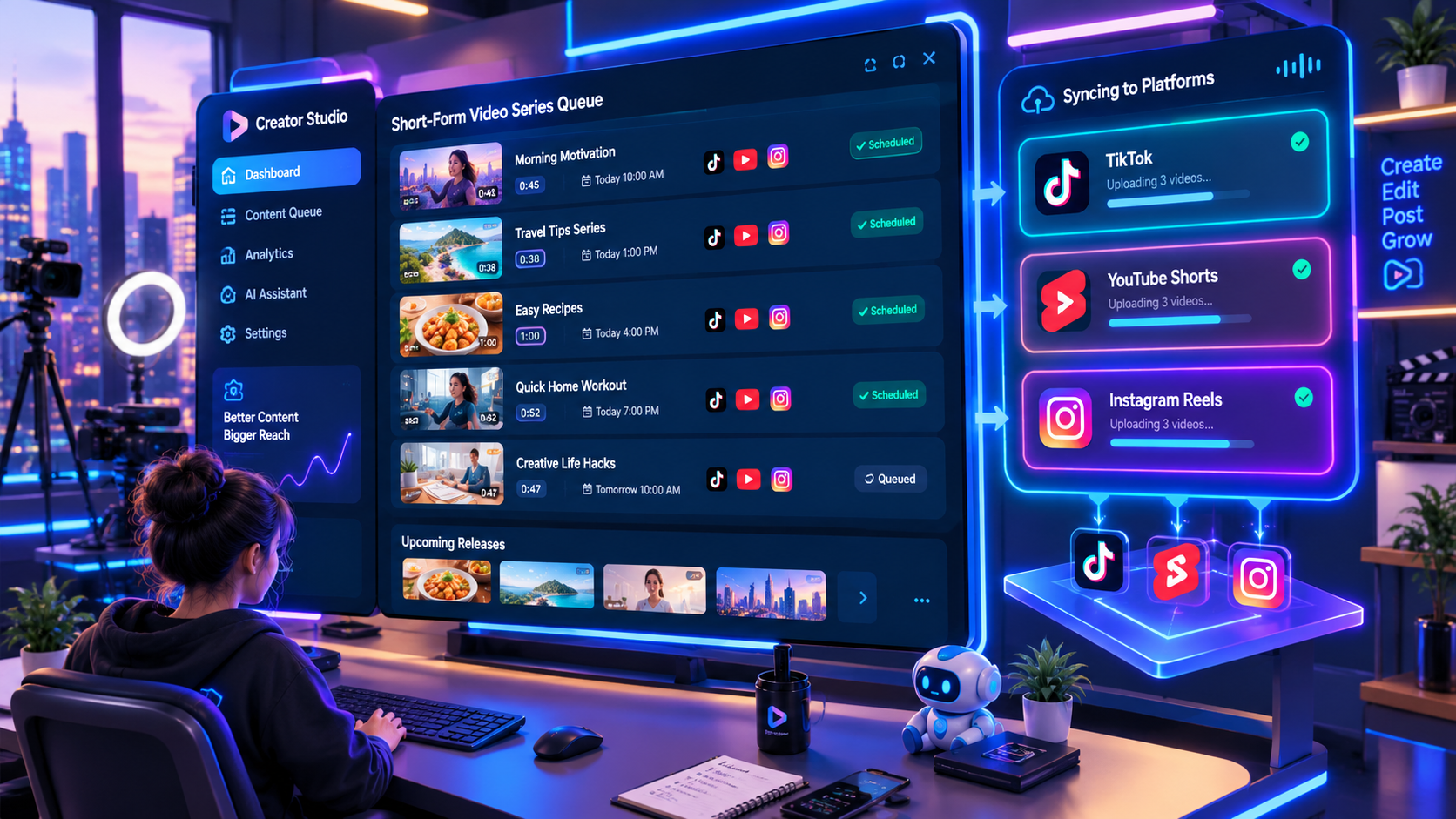
The workflow above gets you to 10 minutes per video. GetShorts' Series Automation feature pushes that even further, you can batch-create a week's worth of videos and schedule them to auto-post on a Mon/Wed/Fri cadence (or daily if you prefer).
Here's how the automation workflow looks:
- 1️⃣ Create a Series — Set up a themed series (e.g., "Monday Motivation Stories") in GetShorts
- 2️⃣ Batch input scripts — Drop in 5–7 scripts at once using the bulk input feature
- 3️⃣ Apply your voice profile — Your cloned voice applies automatically to every video in the batch
- 4️⃣ Set the digital art style — Lock in a consistent digital art style so your channel has a bold, recognizable aesthetic
- 5️⃣ Schedule auto-posting — Connect your YouTube channel and let GetShorts post on your schedule, automatically
With this setup, you could spend 2 hours on a Sunday evening creating and scheduling 7 videos, and then do nothing for the entire week while your channel keeps publishing. That's what passive income actually looks like.
Check out GetShorts pricing plans, the Creator plan at $49/mo includes enough story video credits to publish daily, plus series automation and voice cloning all in one place.
Tips for Making Your Digital Art Channel Stand Out#
The faceless channel space is growing fast. Here's how to make sure your channel doesn't get lost in the noise:
- 🎨 Lock in a visual signature — Pick a consistent color palette and character style. Viewers should recognize your videos in 2 seconds without reading the title.
- 🎙️ Use YOUR voice, not a generic AI voice — Channels with a real human voice (even cloned) consistently outperform fully synthetic TTS channels. Viewers form an attachment to a voice they recognize.
- 📌 Hook in the first 5 seconds — State the emotional payoff immediately. Don't build up to it. Example: Start with 'My boss tried to get me fired, and I ended up buying the company' before explaining anything.
- 📊 Study your analytics weekly — Click-through rate and average view duration are your north stars. If CTR is below 4%, test new thumbnails. If AVD drops below 40%, rewrite your hooks.
- 🔁 Repurpose every long-form video — Cut the best 30–60 seconds into a Short or Reel. One long video = one Short = 2x the content with zero extra work.
Monetization Beyond AdSense: Stack Your Revenue#
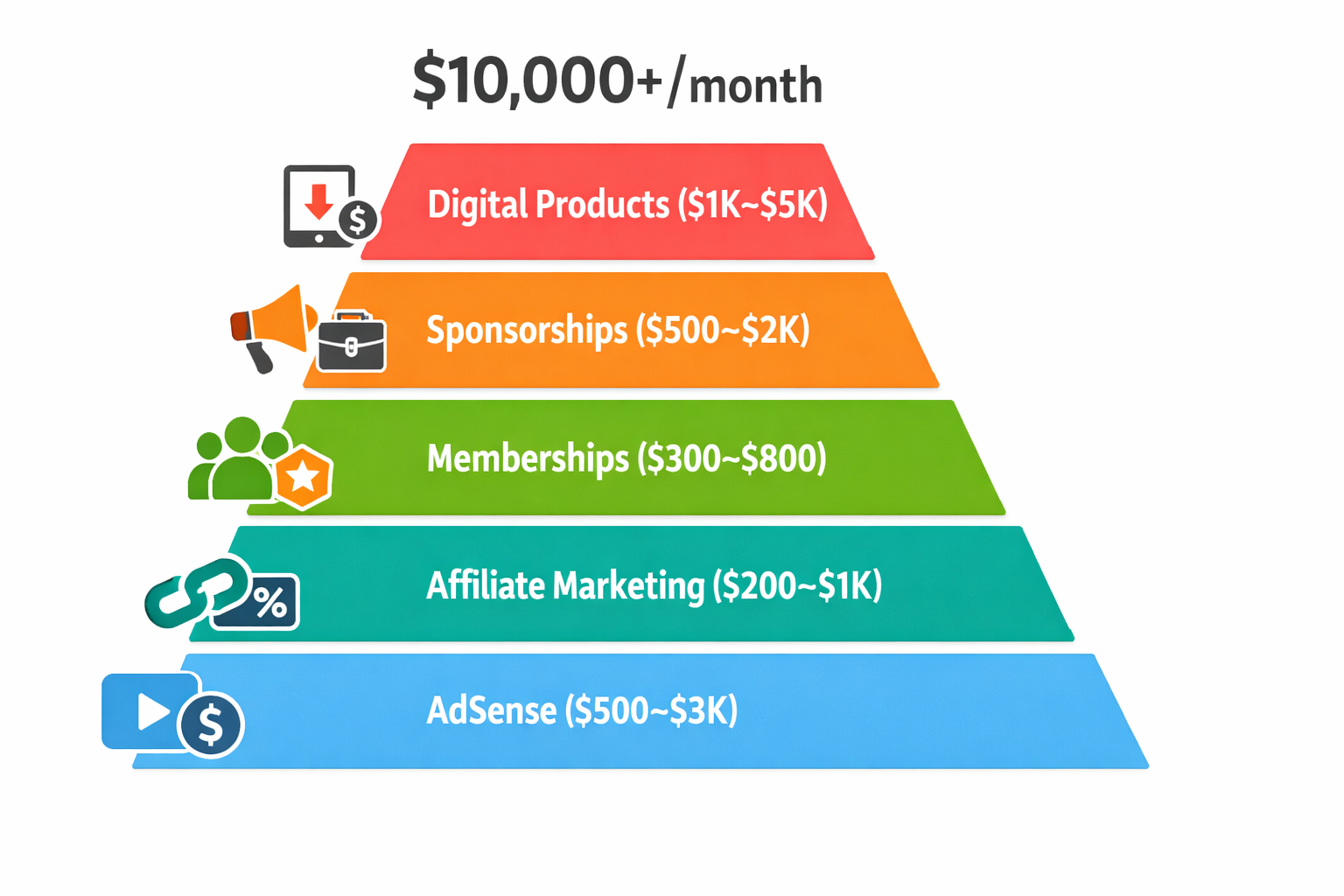
AdSense is just the floor, not the ceiling. Channels doing $10K/month are usually stacking multiple income streams on top of ad revenue:
- 💰 YouTube AdSense — The foundation. CPMs range $2–$20 depending on niche. Finance and self-improvement niches pay the most.
- 🤝 Sponsorships — Once you hit 10K subscribers, brands will reach out. A single sponsored segment in a story video can pay $200–$2,000 depending on your audience size.
- 📦 Digital products — Sell a story writing template pack, a niche research guide, or your exact workflow as a course. High-margin, no fulfillment.
- 🔗 Affiliate marketing — Drop relevant affiliate links in your descriptions. Tools you actually use (like GetShorts) often pay 20–30% recurring commissions.
- ☕ Channel memberships — Once eligible, offer members early access, behind-the-scenes content, or bonus stories for $2.99–$9.99/month.
Your First 30 Days: The Exact Action Plan#
Stop planning and start building. Here's what your first 30 days should look like:
Week 1, Set Up Your Foundation
Create your YouTube channel. Pick your niche and name it around the content, not yourself (e.g., "True Motivation Stories" not "Mike's Channel"). Sign up for GetShorts and complete your voice profile setup. Create your first 3 videos using the 10-minute workflow above. Don't overthink them, the goal is to learn the process, not to go viral.
Week 2–3, Build the Content Habit
Commit to 1 video per day, no exceptions. Use Sunday to batch-write 7 scripts so you're never scrambling mid-week. Start tracking your CTR and AVD in a simple spreadsheet. After 14 videos, you'll start to see patterns, certain story types, thumbnail styles, and title formulas will start pulling ahead.
Week 4, Analyze, Double Down, and Automate
Look at your top 3 performing videos. What's the common thread? Replicate that formula for the next 30 days. Set up GetShorts Series Automation to handle scheduling. Apply for YouTube Partner Program as soon as you hit 500 subscribers and 3,000 watch hours (the new lower threshold as of 2024). At this pace, most daily publishers qualify within 45–60 days.
The creators making $10K/month from faceless digital art story channels didn't get there by accident. They found a format that works, built a repeatable system around it, and showed up every day. With the AI UGC video builder doing the heavy lifting on production and your voice giving the content personality, there's nothing stopping you from being the next channel people screenshot as an example of what's possible.
The only question is: will you start today, or in six months, wishing you'd started today?
Stop Booking Overpriced Creators. Start Scaling UGC Ads.
Produce high-quality AI avatars, auto-captions, B-roll composites and translate scripts instantly. Generate 10+ hook variants for testing.
No credit card required • Start free trial instantly