How to Use Free AI Text to Speech on GetShorts (Step-by-Step Guide)
Table of Contents
GetShorts offers a completely free AI text to speech tool — no credit card, no trial period. This guide walks you through the entire process from account creation to downloading your finished MP3. The whole thing takes under two minutes once you're set up.
What You Need Before You Start#
You'll need a free GetShorts account. If you don't have one, sign up here — it takes 30 seconds and no payment information is required. That's it. There's no software to install and no configuration to do.
Free tier limits to know: 1 generation per 24 hours, 500 characters per generation. Credits reset automatically — you don't need to do anything.
Step 1 — Open the Free Text to Speech Tool#
Log in to your GetShorts account and navigate to the Free Text to Speech tool. You can also find it from the main menu under Free Tools → Text to Speech.
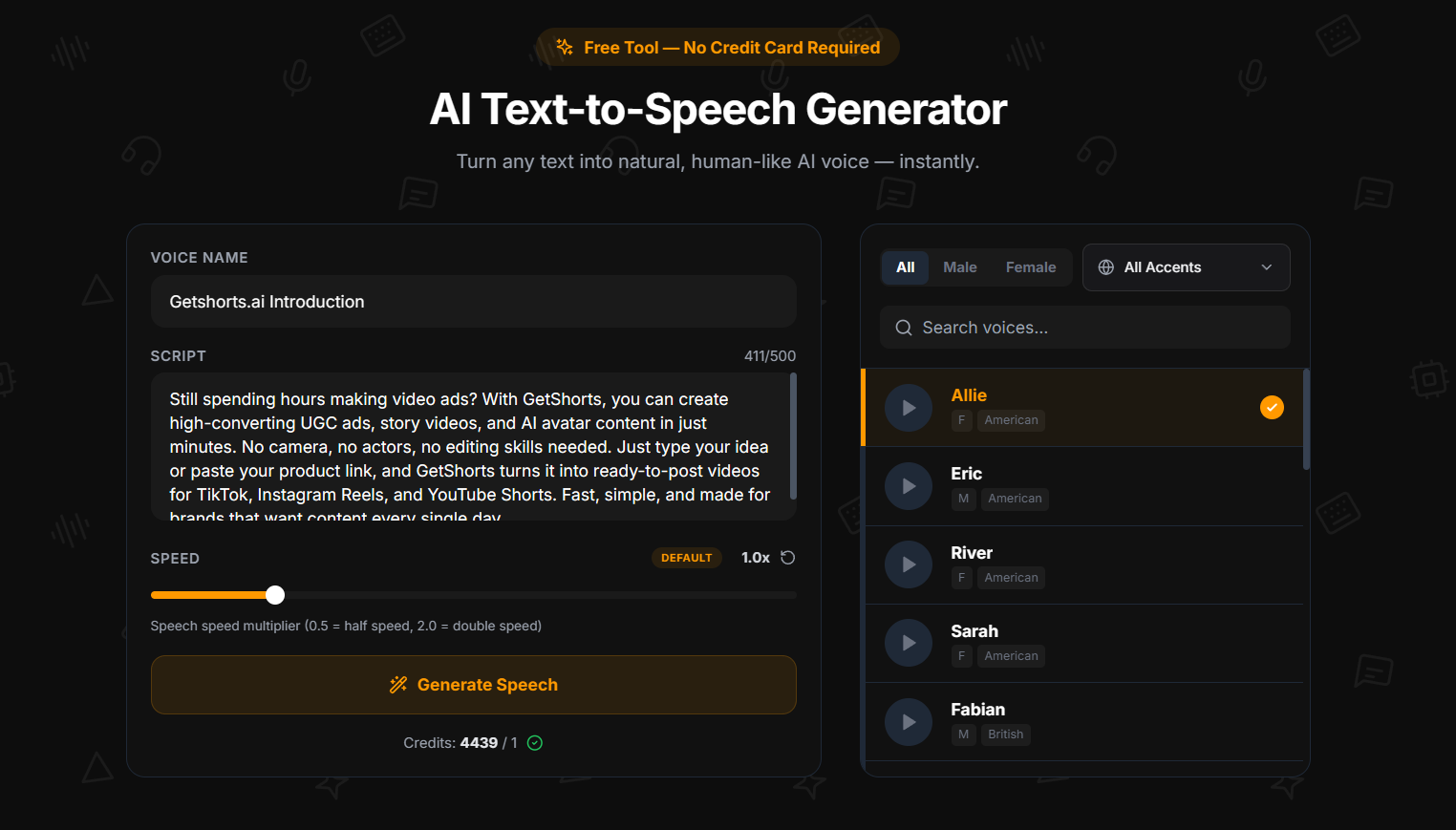
You'll see the tool interface with a text input area on the left and the voice library on the right. Your current daily credit status is shown at the top — it displays whether your generation credit is available or when it resets.
Step 2 — Write or Paste Your Script#
Type or paste your text into the input field. The character counter will track your usage in real time — you have up to 500 characters per generation.
For reference, 500 characters is roughly:
- A full 15-second TikTok hook script
- A YouTube Shorts opening narration (30 seconds at normal speed)
- A podcast intro or outro segment
- A complete product testimonial
- An ad voiceover for a 20-30 second clip
Tip: Write conversationally. TTS engines render punctuation literally — commas create natural pauses, periods create longer stops. Use them intentionally to control the rhythm of the output.
Step 3 — Choose a Voice#
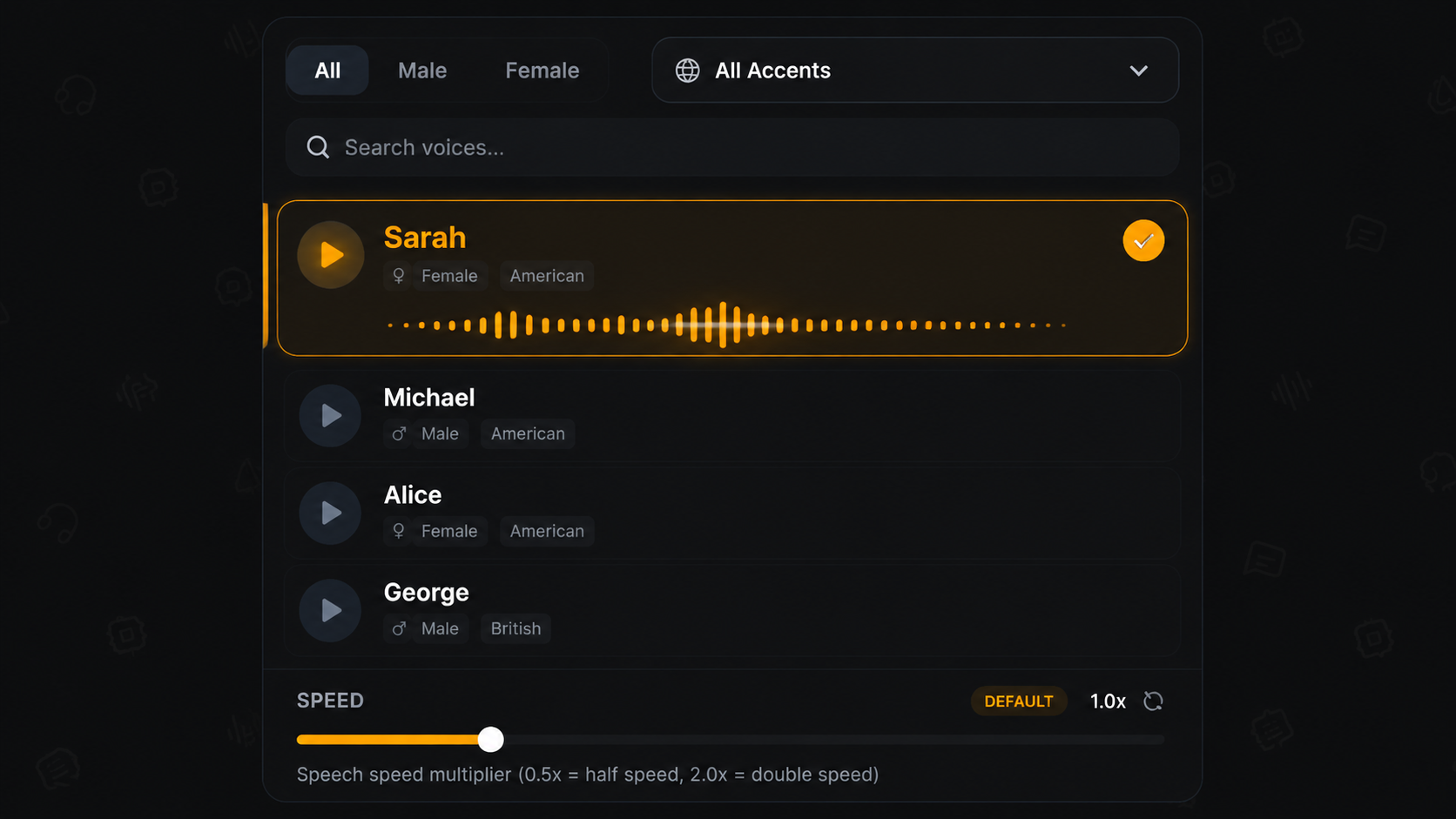
Browse the voice library on the right side of the interface. Click the play button on any voice card to preview a sample. Each card shows the voice's name, accent (American, British, French, Hindi, or Italian), and gender.
When you find a voice that fits your content, click on the card to select it — it will highlight with an active state. You can also adjust the speed control (0.1× to 5×) to match the pacing your content requires.
Voice selection tips by content type:
- TikTok / Reels: American female voices (Sarah, Nova, Bella) tend to perform well — fast-paced, clear, engaging
- Educational / explainer: British male voices (George, Lewis) carry authority well
- Lifestyle / wellness: Try Emilia (British Female) or River (American Female) for a warmer tone
- Multilingual audience: Sylvie (French), Aarohi (Hindi), or Sara (Italian) for native-accent content
Step 4 — Generate and Download Your MP3#
Once your script is written and a voice is selected, click Generate. The Kokoro TTS engine processes your text and returns a finished audio file — typically within 5–15 seconds depending on script length.
A playback bar will appear. Preview the audio directly in the browser to confirm the pacing and delivery sound right. When you're happy, click Download MP3 — the file saves directly to your device, no watermarks, ready to use.
Your generated file is also stored in your account for 7 days. During this window you can re-download it or access it from any device.
Ready to generate scroll-stopping video ads?
Access organic AI UGC avatars and text-to-speech in minutes.
Generate Your Free AI VoiceoverWhat to Do With Your Audio File#
The MP3 works in any video editor or content tool. A few common workflows:
- CapCut / TikTok editor: Import the MP3 as an audio track, mute the original clip audio, sync with your footage
- Premiere Pro / DaVinci: Drop the MP3 into the timeline as a narration layer
- Podcast tools: Use the clip as an intro/outro jingle or sponsorship read
- GetShorts Story Videos: Upload the audio to the AI story video maker to pair it with AI-generated visuals automatically
If your content needs are growing beyond one generation per day, GetShorts paid plans remove the daily limit and the 500-character cap entirely. You also get access to the full AI UGC video generator and the suite of video creation tools.
Stop Booking Overpriced Creators. Start Scaling UGC Ads.
Produce high-quality AI avatars, auto-captions, B-roll composites and translate scripts instantly. Generate 10+ hook variants for testing.
No credit card required • Start free trial instantly